Gain a competitive advantage with "low-code x data integration" that combines efficiency and flexibility!


With the recent shortage of IT personnel and the accelerating pace of business, improving the efficiency of system development has become a pressing issue for many companies. Low-code development is gaining attention as one solution. Understanding how to integrate low-code tools, which enable rapid application development, with external systems can increase business flexibility and lead to faster problem-solving.
This article provides a comprehensive explanation of the benefits of combining low-code development with data integration, as well as the key points for successful implementation.
What is Low-Code Development? Basics and Features
Low-code development is a method of building applications that utilizes a GUI-based development environment to significantly reduce the effort required to write code. It is relatively easy to use even for those without programming expertise, and it facilitates rapid release, making it suitable for corporate digital transformation and the launch of new services. Another major benefit is that flexible customization is possible by writing code partially as needed.
Low-code development can significantly improve development efficiency by combining templates and components. It's particularly easy to imagine integration with existing business systems, and mechanisms for smooth data integration are often in place. However, if there are very specific requirements or advanced customization is required, additional development time will be required, so it's important to clarify the requirements before implementation.
▼I want to know more about low-code development
⇒ Low-code development | Glossary
Differences from no-code development
No-code development is a method of completing an application by combining the functions provided by the tool using GUI operations, without any coding required. On the other hand, low-code development involves the minimum amount of coding necessary, allowing for more flexible requirements and complex customization than no-code. No-code is effective in situations where speed is important and the range of functions is limited, but the low-code approach is more suitable when pursuing advanced function implementation and scalability.
| Features | No-Code | Low-code |
|---|---|---|
| Source code | Do not describe | Minimal description required |
| Required skills | No programming knowledge required | Some programming knowledge required |
| Development freedom | Low (functionality is platform dependent) | High (highly customizable and extensible) |
| Suitable for | Simple app development and prototyping | Complex system development and integration with existing systems |
| Development Speed | Very fast | Faster (than from scratch) |
▼I want to know more about no-code development
⇒ No-code development | Glossary
The importance of data integration and business use cases
Strategic use of data integration is essential to smoothly exchange information in a diverse system environment.
Many companies operate multiple systems for sales management, inventory management, customer management, etc., and when these systems are separated, it becomes difficult to centrally manage data. Therefore, by linking systems and enabling cross-sectional use of information, it is expected that business processes will become more efficient and the accuracy of data analysis used in management decisions will improve. For example, there are increasing cases where linking real-time inventory levels with mission-critical system, core system can optimize the timing of order suspensions from e-commerce sites and avoid inventory risks.
Typical ways to connect low-code development tools with external systems
It is important to understand the various integration methods and choose the best approach based on your system requirements and operational methods.
Low-code development often comes standard with features that allow integration with external cloud services and on-premise systems. For example, file transfer, API integration, ETL tools, batch processing and cloud integration platforms known as iPaaS (Integrated Platform as a Service) can be used to easily interconnect systems. By appropriately combining these methods, you can automate the sending, receiving and conversion of data, building a data environment that supports advanced analysis and rapid decision-making.
▼I want to know more about iPaaS
⇒ iPaaS | Glossary
Real-time data synchronization via API integration
API integration is a method of exchanging data between systems using protocols such as REST and SOAP. Because it allows data to be retrieved and updated in real time, it is highly compatible with services where inventory, prices, customer information, etc. change dynamically. Low-code tools sometimes allow you to configure API calls using a GUI, making it possible to implement real-time integration without having to worry about complex programming.
Use of file transfer (FTP/SFTP)
file transfer using FTP or SFTP are common methods for handling bulk data or data sent and received periodically. Setting up retry controls and secure communications in the event of an error enables safe and versatile data integration. file transfer integration remains a popular method, especially in companies with many legacy systems, and is often implemented as a standard feature in low-code tools.
Database integration and ETL tool usage
Companies often have multiple databases, and when each is operated independently, it can easily lead to data duplication and inconsistency. Therefore, by using ETL (Extract, Transform, Load) tools to extract, transform, and load data in a standardized format, a consistent data analysis platform can be built. A low-code environment has the advantage of allowing these processes to be configured visually, making it easy to implement the desired integration without having to write detailed, specialized SQL scripts.
Periodic data updates using batch processing
Batch processing is a method of synchronizing data between systems by executing processing at set times, such as at night or on weekends. While it does not have the immediacy of real-time integration, it can process large amounts of data in bulk, ensuring reliable data updates while keeping costs down. Low-code development tools can automate batch execution using scheduler functions and workflows, preventing human error and ensuring stable operation.
Utilizing iPaaS (Integration Platform as a Service)
iPaaS is an integration platform provided on the cloud that allows you to easily connect multiple SaaS and on-premise systems. Data conversion and error handling are possible simply by configuring each service, significantly reducing the burden of individual interface development as in the past. When combined with a low-code approach, its greatest appeal is the ability to connect a wide variety of systems via a GUI and quickly build integration processes.
Saison Technology's iPaaS "HULFT Square"

iPaaS-based data integration platform HULFT Square
HULFT Square is a Japanese iPaaS (cloud-based data integration platform) that supports "data preparation for data utilization" and "data integration that connects business systems." It enables smooth data integration between a wide variety of systems, including various cloud services and on-premise systems.
The pros and cons of low-code data integration
While the combination of low-code development and data integration has the benefit of increasing efficiency, there are also some things to be aware of.
Low-code makes it relatively easy to create applications, and when combined with data integration, it can dramatically improve the efficiency of the entire system. However, as dependency on tools increases, it becomes more difficult to add new functions, and other disadvantages must be considered. It is important to maximize the benefits and minimize the potential disadvantages by creating an implementation plan with a long-term perspective.
Benefits: Reduced development time and costs, and faster implementation
Low-code development allows for GUI-based design, which can be expected to significantly reduce the amount of work required compared to traditional full-scratch development. With numerous components and templates available, data integration often only requires configuration, allowing for rapid prototyping. Another major advantage is that low-code development is easy to use even for non-engineers, broadening the scope of development possible within departments and project teams and leading to cost savings.
Disadvantages: Be aware of tool dependency and customization limitations
Relying on a specific low-code platform or data integration tool can result in unexpected impacts from functionality limitations or future updates. Furthermore, in niche requirements or large-scale systems, tool-side constraints can make it difficult to implement unique features. When considering your options, it's important to carefully select your tools and take into account scalability and the length of time it takes to upgrade.
Important points to consider when choosing data integration tool
In order to select the appropriate tool, taking into account your company's system requirements and future plans, it is necessary to clarify several points.
When introducing data integration tool, it is important to consider factors such as the diversity of connected systems, the data formats it can handle, and ease of use. If you choose a tool with a limited range of integration, you risk incurring significant man-hours again when expanding your system in the future. It is a good idea to first identify your company's system configuration and services that may require integration in the future, and then check the compatibility of the necessary adapters and protocols.

Check system coverage and scalability
It's important to check the range of formats and protocols that data integration tool can handle and whether it can accommodate future expansion. Since it's often necessary to integrate with new services or databases after release, it's useful to have a system that allows you to easily add adapters and plugins. Especially if you plan to migrate to the cloud or integrate with overseas bases, you should also consider whether the tool supports international standards.
Checking security measures and authentication functions
Security measures such as authentication, permission management, and communication encryption are essential when exchanging data with external systems. Even when linking internal systems, access control and audit log acquisition functions may be required to reduce the risk of data leaks. Even in a low-code environment, be sure to utilize the security features provided by the tool and verify that data can be handled safely.
An example of how low-code data integration can be implemented
By looking at specific examples of how low-code data integration is being implemented in actual workplaces, you can get a better idea of what it would be like to implement it.
data integration using low-code tools is widely implemented, from small-scale departmental projects to the integration of company-wide mission-critical system, core system. In particular, there are many cases where projects are introduced in stages as PoCs in the early stages, and then scaled up after gaining success, which allows for smooth promotion of DX. In addition, a pattern of using low-code to improve efficiency only where necessary while reducing the cost and time required to replace legacy systems is also becoming increasingly popular.
From small-scale department-level PoC to full-scale implementation
The process begins with a trial introduction of low-code and data integration in a specific department or business area, and then the practicality and effectiveness are verified. Once a successful track record is confirmed through the PoC, it becomes easier to expand the scope of application to other departments and related systems, and gradually move towards promoting DX on a company-wide scale. Another attractive feature is the ability to start small without making a large investment all at once.
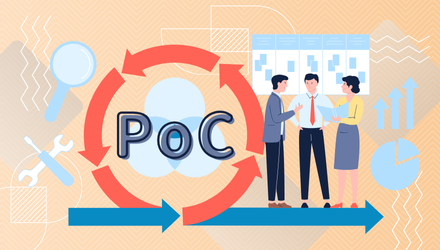
You want to speed up development, but you also want to avoid risks. If so, first verify feasibility with a PoC. Saison Technology's experienced consultants specializing in data integration will support your PoC. Please feel free to contact us!
Promoting DX through legacy system integration
Completely replacing existing on-premise mission-critical system, core system and legacy applications entails significant costs and risks. Therefore, there are increasing cases of gradually digitising business processes by using low-code tools to supplement the necessary integration with data integration functions. This promotes integration between previously disconnected systems, facilitating the smooth use of data needed for management decisions and new business development.
summary
By utilizing low-code and data integration, rapid and flexible system development becomes possible, contributing to improving a company's competitiveness.
In today's business, where a diverse range of system environments coexist, the combination of low-code and data integration directly leads to improved business efficiency and digital transformation. By using a variety of methods, including API integration, file transfer, ETL tools, batch processing, and iPaaS, you can flexibly handle everything from gradual implementation to large-scale integration. The key to success will be selecting the optimal tool based on your company's requirements and future scalability, and then starting small to build a track record before considering company-wide adoption.
The person who wrote the article
Recommended Content
-
Why we recommend iPaaS for data integration | A thorough explanation of iPaaS
We will thoroughly explain why iPaaS is suitable for data integration, how it differs from traditional methods, and how it is actually used. -

Accelerate your business with API integration! How to master electronic contracts
We will explain the key points for increasing business value by organizing the basic concepts, benefits, approaches, and main challenges of data utilization. -
How to get the insights you want without changing your master data
This e-book offers a new approach to solutions for companies that have data but are not making use of it.