

Quickly and easily build a data utilization platform on the cloud using your existing HULFT system
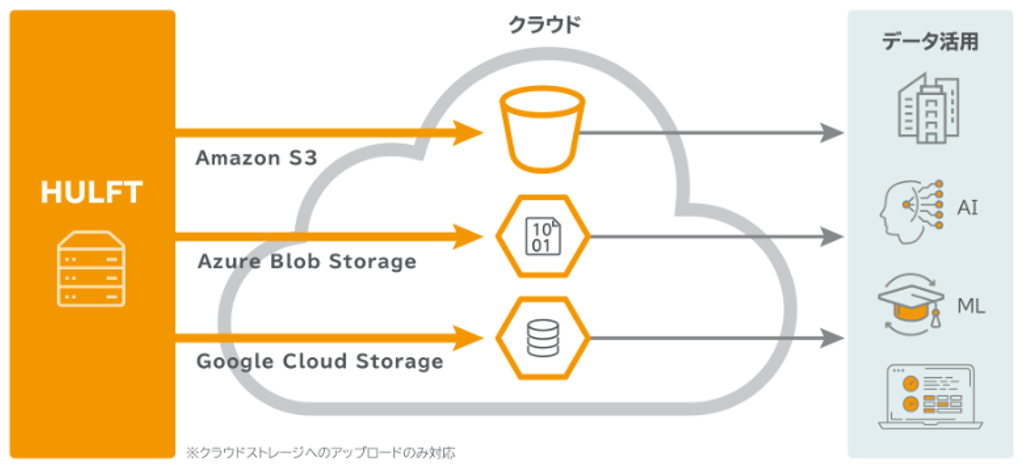
Recently, it has become common for companies to utilize data via the cloud.
There are probably many cases where you want to use a cloud service, but not all of your data is on the cloud, and you want to connect data that has been stored on-premises for many years to the cloud.
However, since linking on-premise and cloud systems requires the use of APIs, it is difficult to implement immediately. Today, I would like to introduce a simple method for linking to the cloud for those who are already using HULFT in their companies.
Do you know about HULFT 's cloud storage options?
HULFT Cloud Storage Option is optional product included with the new version (8.4.1) released on December 4, 2019.
By using the cloud storage option, you can transfer files directly from your existing HULFT network to cloud storage. HULFT on receive side relays the files to cloud storage on-memory.
Since no unnecessary files are generated, they can be safely transferred to cloud storage.
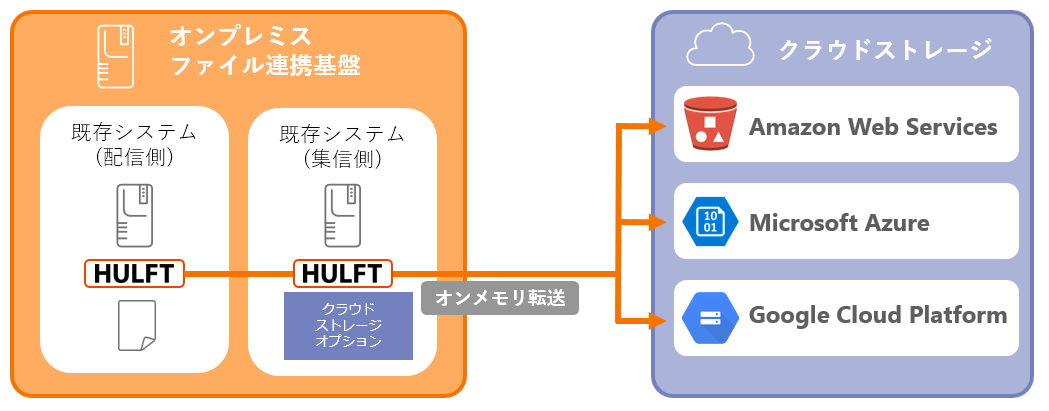
It can be implemented immediately on an existing HULFT network.
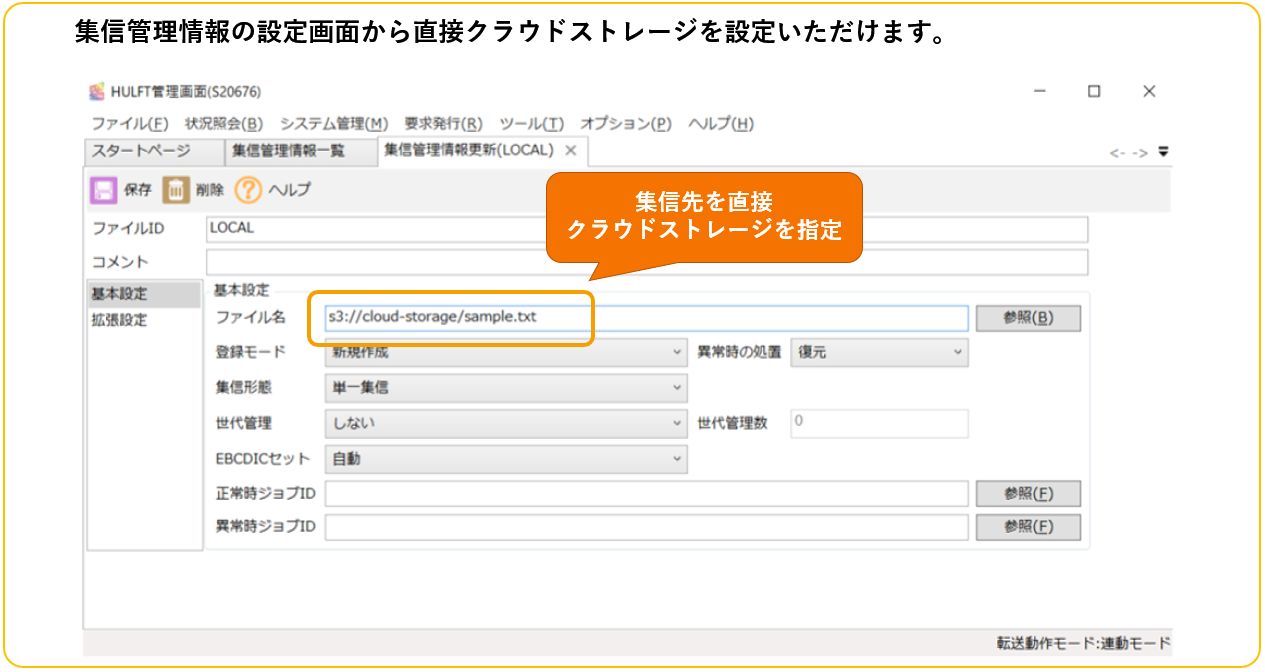
send Since the existing version*1 of HULFT on the side can be used as it is, the collection send settings of the existing HULFT can be utilized as is, and if the receive destination is changed to cloud storage on the HULFT side of receive, it will connect to cloud storage.
Furthermore, since it supports cloud storage provided by the three most popular public cloud services (AWS, Azure, and GCP), when using multiple cloud storages, there is no need to build and manage CLIs for each one individually. This can be achieved simply by configuring the settings from the familiar HULFT management screen, reducing development and management efforts.
Use Cases
Now, I would like to introduce one example of how HULFT Cloud Storage Option can be used.
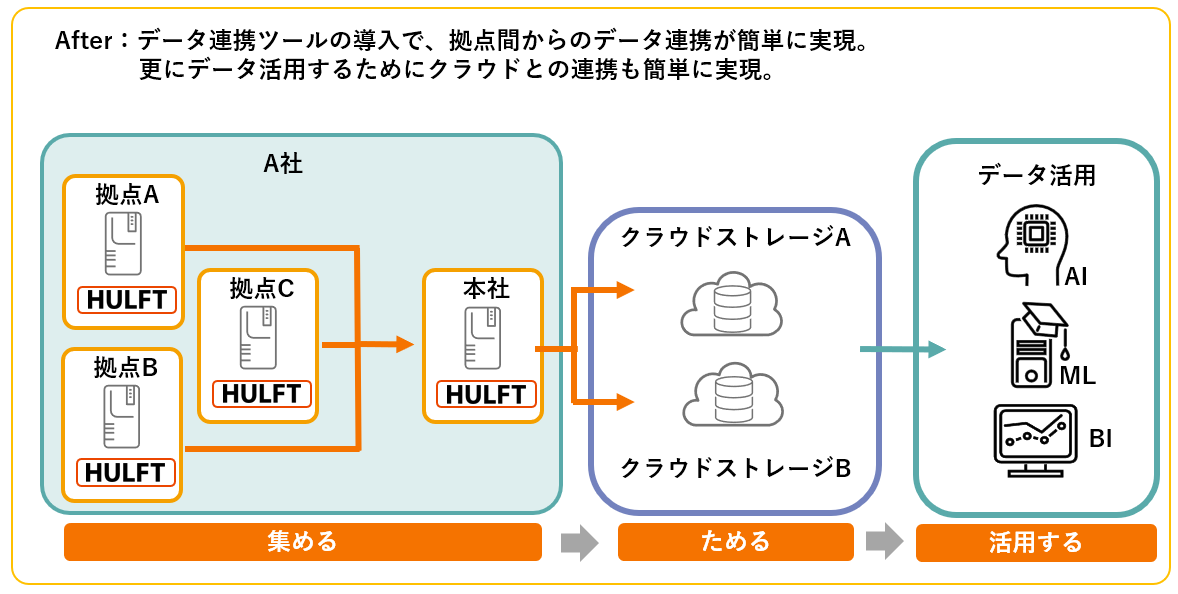
Company A is a major food and beverage service company with multiple food and beverage brands and over 2,000 stores both in Japan and overseas. Each brand links and analyzes its own store's POS data, but data integration system is not standardized, making it difficult to achieve cross-brand data analysis.
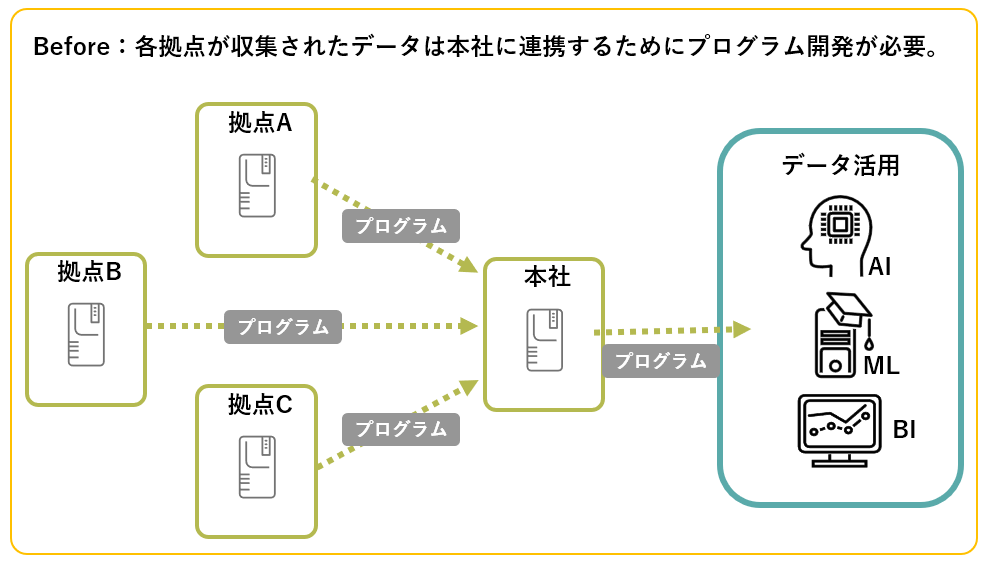
By introducing HULFT at your brand's locations, you can not only easily collect POS data for each brand through a unified data integration system, but also reduce operational management with the automatic data file transfer function, and ensure safe and secure data transfer with HULFT unique encryption function.
Furthermore, by adding the cloud storage option to HULFT at headquarters, data collected from each business brand can be easily stored in cloud storage. In some cases, you may want to use multiple cloud storage services, right? HULFT cloud storage option makes it easy to link multiple receive services by simply changing the destination settings, so this can be achieved quickly. Furthermore, data stored in the cloud can easily be linked with the data analysis and visualization functions offered by each cloud service provider.
That's all for today's introduction.
You can also download the evaluation version from the link below, so please give it a try.
*1 Cannot be used if send side is using a version of HULFT prior to 5.


