
AgileWorks-DocuSign eSignature integration application
- name
- AppTemplate AgileWorks-DocuSign Integration
- tag
- Electronic Contracts / AgileWorks / DocuSign eSignature
- Connector used
- REST Connector
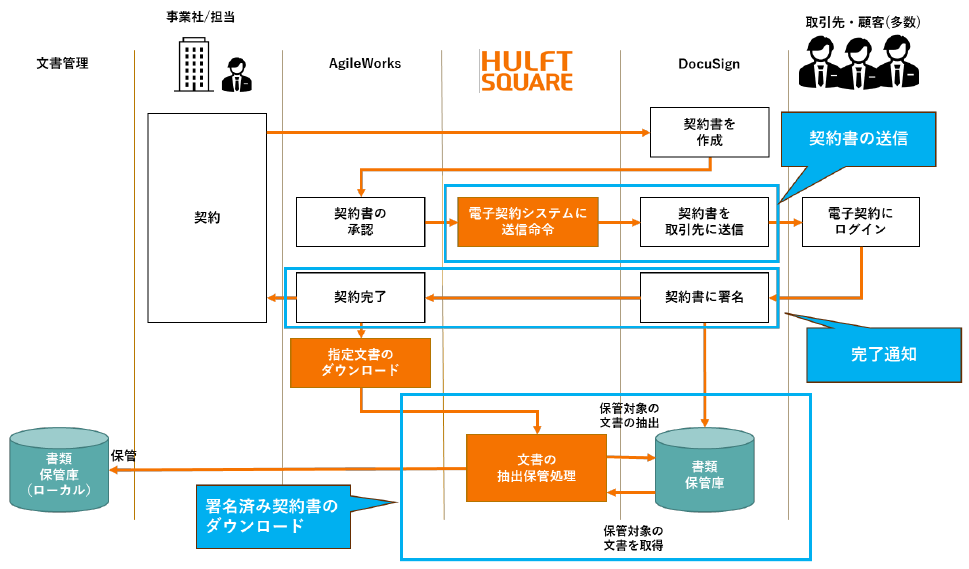
The following processes are performed in electronic contract transactions using AgileWorks and DocuSign eSignature:
- Process to send contracts that have been requested for delivery in AgileWorks using DocuSign eSignature
- A process to obtain signed contract information from DocuSign eSignature and apply for contract completion in AgileWorks
- The contract completion flow downloads the approved contract from DocuSign eSignature
This application includes:
script
- Contract recipient information creation and sending script
- Contract sending script
- Script for creating a list of signed agreements
- Contract completion flow automatic application script
- Download Signed Agreement Script
How to install and use it
Script Details
Contract recipient information creation and sending script (from_agileworks_to_docusign_create_envelope)
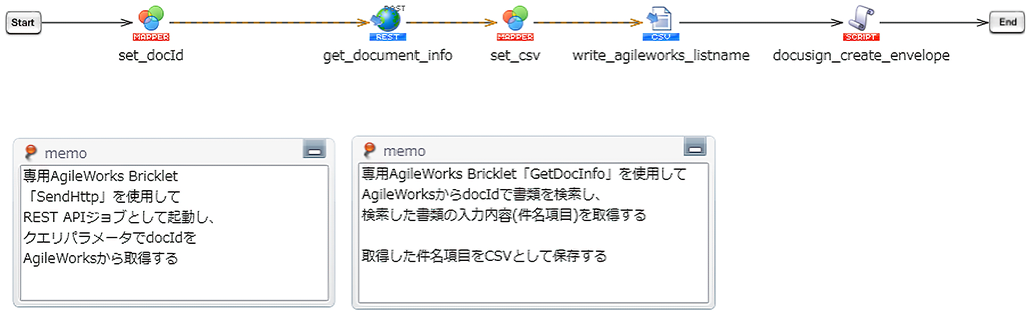
AgileWorks retrieves the contract partner information for which the contract sending request has been completed, outputs it to a CSV file, and calls the contract sending script.
Contract sending script (to_docusign_create_envelope)
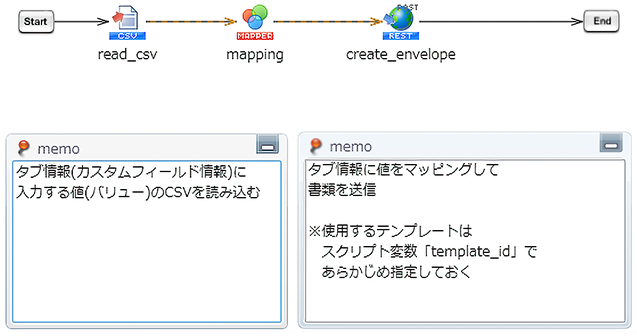
The script reads the contract recipient information created in the contract recipient information creation and sending script, and requests DocuSign eSignature to send the contract.
Script for creating a list of signed agreements (from_docusign_get_tab_value)
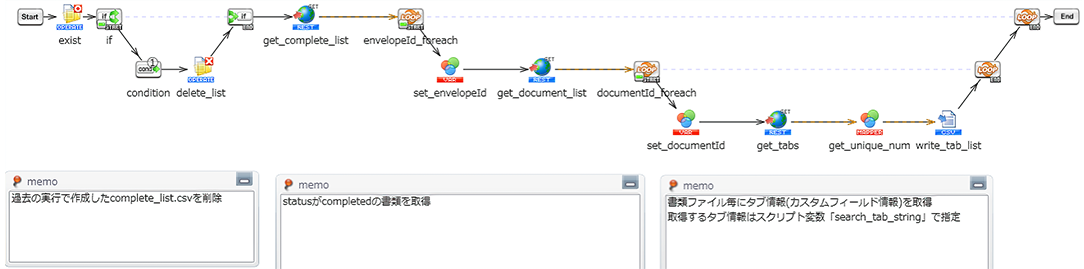
Create a list of all your signed agreements with DocuSign eSignature.
Contract completion flow automatic application script (to_agileworks_create_sign_done)

It reads the signed contract list created by the signed contract list creation script and automatically applies for contracts that have not yet gone through the contract completion flow.
Download signed contract script (from_docusign_get_envelope)
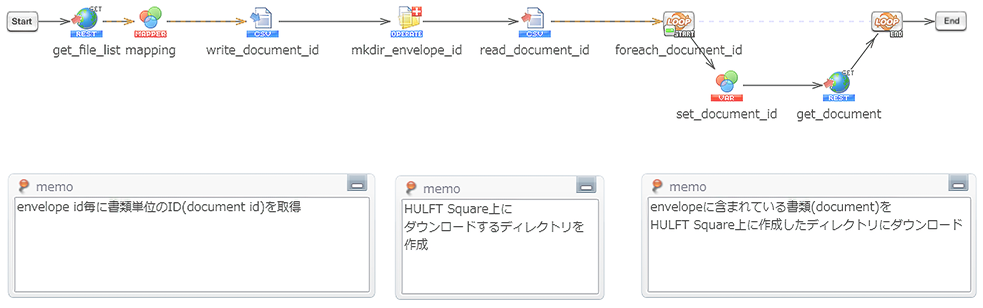
Specify the DocuSign eSignature ID (envelope_id) to download all contract files for the corresponding envelope.
How to install and use it