
CloudSign linked application
- name
- AppTemplate CloudSign Integration
- business
- Legal Affairs
- tag
- Electronic contracts/CloudSign
- Connector used
- REST Connector
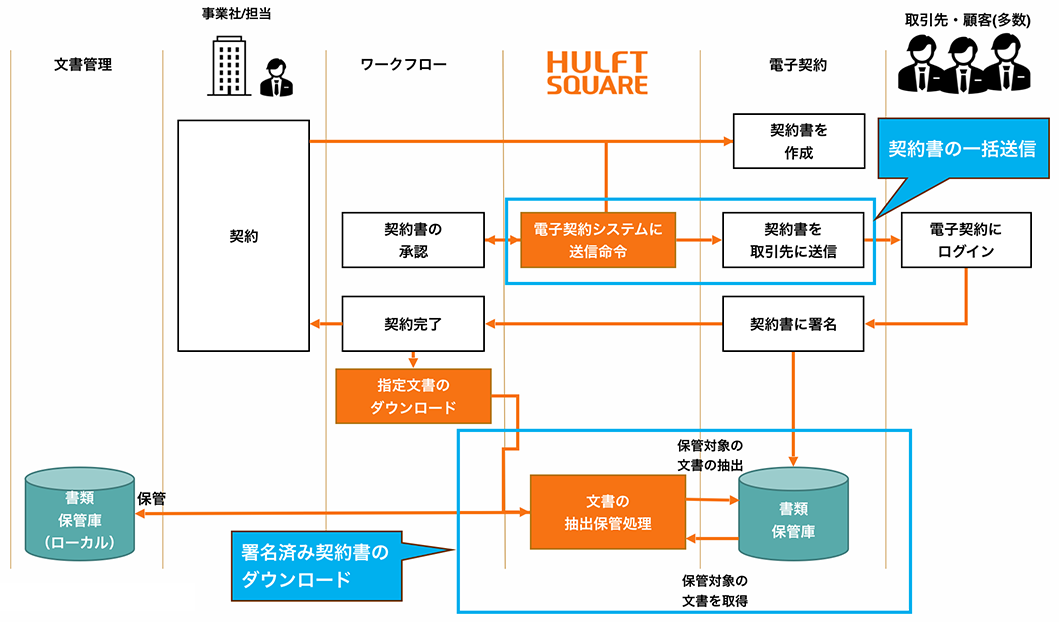
The following processes are performed in electronic contract business using CloudSign:
- A process to update the document status of contracts registered in CloudSign before sending them and send them to the contracting party in bulk
- The process of downloading the signed contract from CloudSign to store it in the company's internal document management system.
This application includes:
script
- Bulk Agreement Sending Script
- Get Signed Agreement List Script
- Download signed agreements in bulk script
- Download script for signed contracts (1 item)
Script Details
Bulk Send Agreements script (cloudsign_send_document)
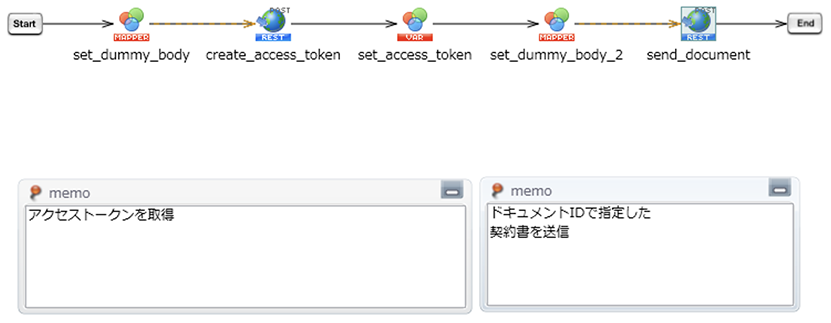
HULFT Square reads the document_id *1 and requests CloudSign to send the contract.
Request sending of the contract using CloudSign's API function.
Pass the document ID of the agreement to be sent (document_id) as a script input variable.
*1 document_id: Document ID. Specifies the set of contract documents to download.
This function is expected to receive the document_id of the approved document from an external workflow system, etc.
When using the service, the user inputs and specifies the conditions.
Get signed agreement list script (cloudsign_get_document_id)
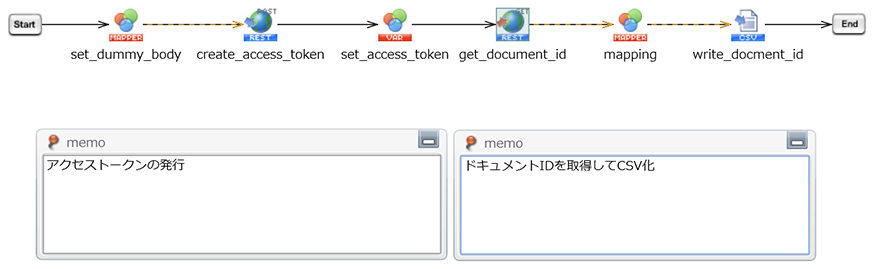
As preprocessing for the "Download signed contracts script (bulk)" described below, obtain a list of signed contracts and output them to a CSV file.
Pass the following script input variables: [Start date of the contract you want to retrieve (from)], [End date of the contract you want to retrieve (to)], and [Document status to filter (status)]. *2
*2 status: contract status
from: The start date and time of the last document processing
to: The end date and time of the document's final processing
When using the service, the user must enter the status, from, and to fields to specify the conditions.
Download signed agreements in bulk script (cloudsign_get_document_list)
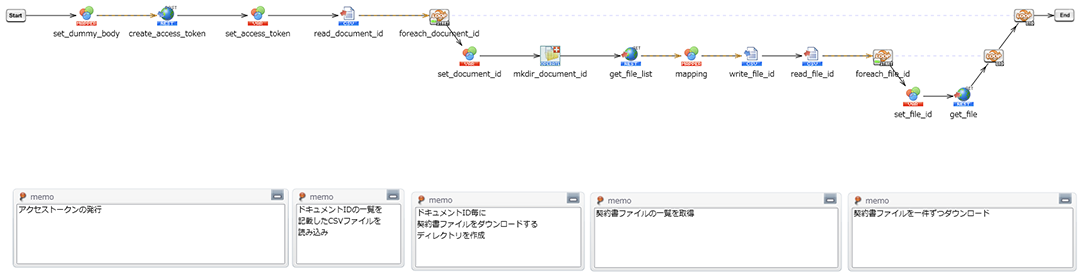
This script reads the list of signed contracts (CSV file) output by the [Script for getting a list of signed contracts (cloudsign_get_document_id)] and downloads all contract files for all document_ids. The downloaded files are saved in the following directory in HULFT Square storage.
Pass the following script input variables: [Document ID of the agreement to download (document_id)], [Any agreement name to use as the name of the directory where the agreement will be downloaded (unique_contract_name)].
Download script for signed contracts (1 item) (cloudsign_get_document)
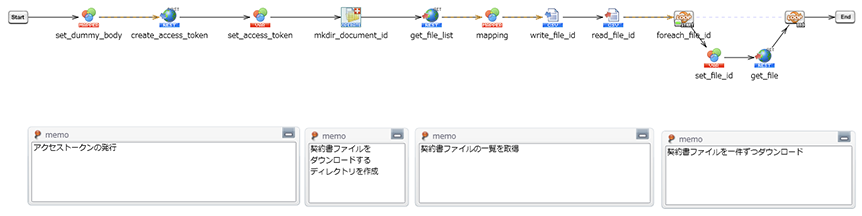
Specify the CloudSign ID (document_id) and download all contract files with the corresponding document_id. The downloaded files will be saved in the following directory in HULFT Square Storage.
How to install and use it