
DocuSign eSignature Integrated Applications
- name
- AppTemplate DocuSign Integration
- business
- Legal Affairs
- tag
- Electronic contracts/DocuSign eSignature
- Connector used
- REST Connector
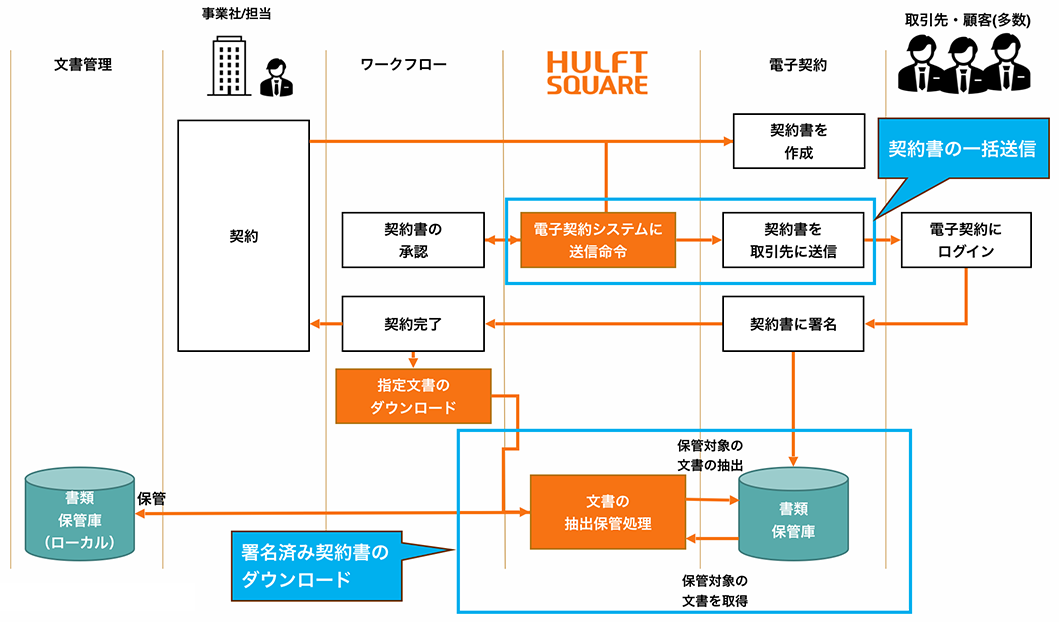
The following processes are performed in electronic contract transactions using DocuSign eSignature:
- Update the document status of contracts registered in DocuSign eSignature before sending them and send them to the contracting party in bulk
- The process of downloading signed contracts from DocuSign eSignature for storage in your company's internal document management system
This application includes:
script
- Bulk Agreement Sending Script
- Get Signed Agreement List Script
- Download script for signed contracts (1 item)
- Download signed agreements in bulk script
Script Details
Bulk Agreement Sending Script (docusign_send_template)
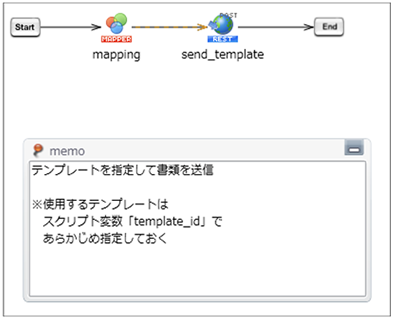
Request that the agreement be sent by updating the document status in DocuSign eSignature to "sent."
Pass the DocuSign eSignature API Account ID (account_id) and the Envelope ID of the contract to be sent (envelope_id) as script input variables.
Get Signed Agreement List Script (docusign_get_envelope_id)
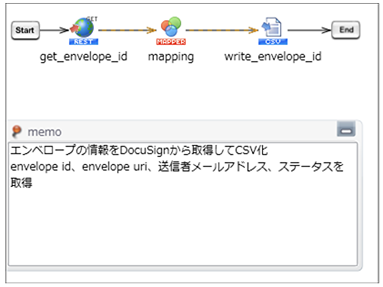
As preprocessing for the "Download signed contracts script (bulk)" described below, obtain a list of signed contracts and output them to a CSV file.
Pass the following script input variables: [DocuSign eSignature API Account ID (account_id)], [Date of the contract you want to retrieve (from_data)], [Sender's email address (email)], and [Envelope filtering status (status)].
Download script for signed contracts (1 item) (docusign_get_envelope)
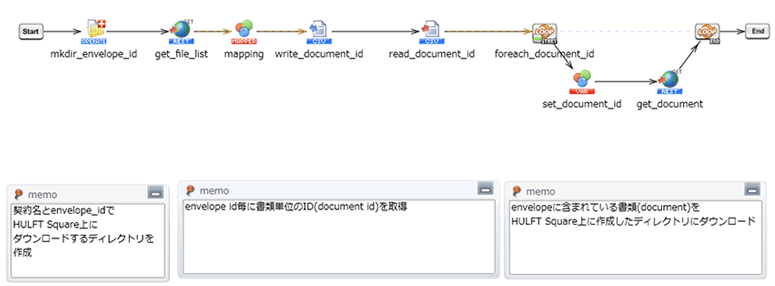
Specify the DocuSign eSignature ID (envelope_id) to download all the corresponding Envelope contract files. The downloaded files will be saved in a directory in the HULFT Square storage.
Pass the following script input variables: [DocuSign eSignature API Account ID (account_id)], [Envelope ID of the contract to download (envelope_id)], and [Agreement name (unique_contract_id) to use as the directory name for downloading the contract].
Download signed agreements in bulk (docusign_get_envelope_list)
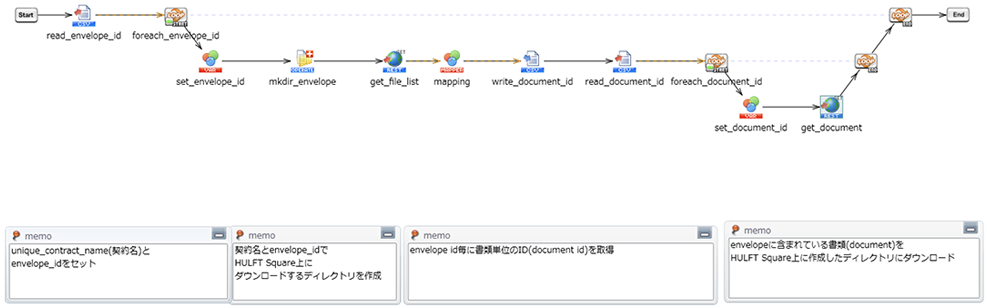
This script reads the list of signed contracts (CSV file) output by the [Get Signed Contract List Script (docusign_get_envelope_id)] and downloads all Envelope contract files. The downloaded files are saved in a directory in the HULFT Square storage.
How to install and use it