
Prepare target files and upload them to Dr.Sum Cloud/download specified files
- name
- DrSum Cloud Integration
- tag
- Dr.Sum Cloud/Data Mart/Data Analysis Platform
- Connector used
- REST Connector
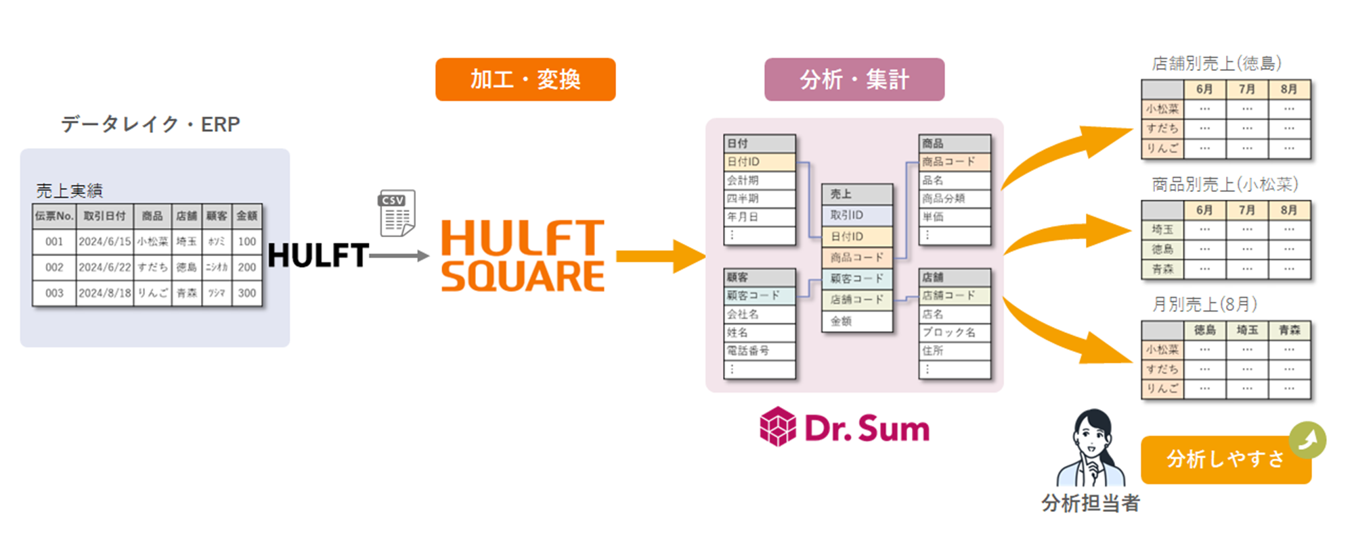
Dr.Sum Cloud is a domestically developed data analysis platform that supports business decision-making by quickly aggregating and analyzing large amounts of data.
Equipped with an analytical data mart that can handle large amounts of data without stress and an interface that allows for intuitive data handling without programming, it can meet a wide range of data utilization needs, creating an environment where anyone can use the PDCA cycle based on data.
This application provides the following data integration processes using sales data analysis as an example.
- The process of converting and processing the sales performance data to be analyzed into a simple data structure for efficient queries, and then uploading it.
- Process to execute scripts (DS Script) to import uploaded data and aggregate data
- A process to download data that has been analyzed and aggregated from various perspectives in order to link it to other systems.
This enables efficient data preprocessing to improve the accuracy of analysis and model building.
Script Details
File import main process (DrSumCloud_main)
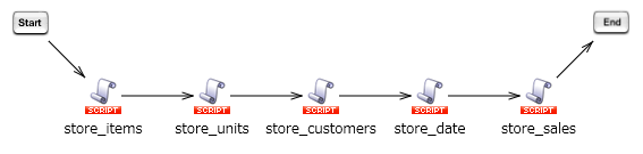
This will split the sales performance CSV file into individual tables and import them into Dr.Sum Cloud.
Customer File Processing (DrSumCloud_store_customers)

Generate a CSV file of customer information from the sales performance CSV file, and then upload and import the file to Dr.Sum Cloud.
Product file processing (DrSumCloud_store_items)

Generate a CSV file of product information from the sales performance CSV file, and then upload and import the file to Dr.Sum Cloud.
Store file processing (DrSumCloud_store_units)

Generate a CSV file of store information from the sales performance CSV file, and then upload and import the file to Dr.Sum Cloud.
Date file processing (DrSumCloud_store_date)

Generate a CSV file with date information from the sales performance CSV file, and then upload and import the file to Dr.Sum Cloud.
Sales file processing (DrSumCloud_store_sales)

Generate a CSV file of sales information from the sales performance CSV file, and then upload and import the file to Dr.Sum Cloud.
File upload (DrSumCloud_upload_file)
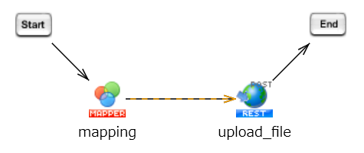
Uploads the specified file to Dr.Sum Cloud.
DS Script script execution (DrSumCloud_execute_script)
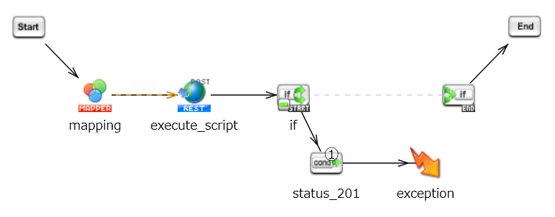
Executes the specified DS Script script.
You can perform custom processes, such as importing files uploaded to Dr.Sum Cloud Hub or converting data stored in a database into files.
Get file list (DrSumCloud_get_file_list)
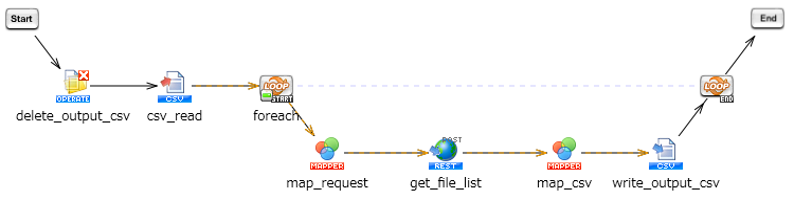
Based on the CSV file that contains the directory information for which you want to obtain a list of Dr.Sum files, obtain a list of files in the corresponding directory and write it to a CSV file.
File download (DrSumCloud_download_file)
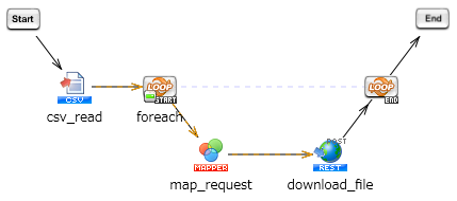
Based on the CSV file containing the file information, files from Dr.Sum Cloud are downloaded to the HULFT Square storage.