

Includes collaboration examples | A thorough explanation of how accounting work can be automated using cloud accounting!

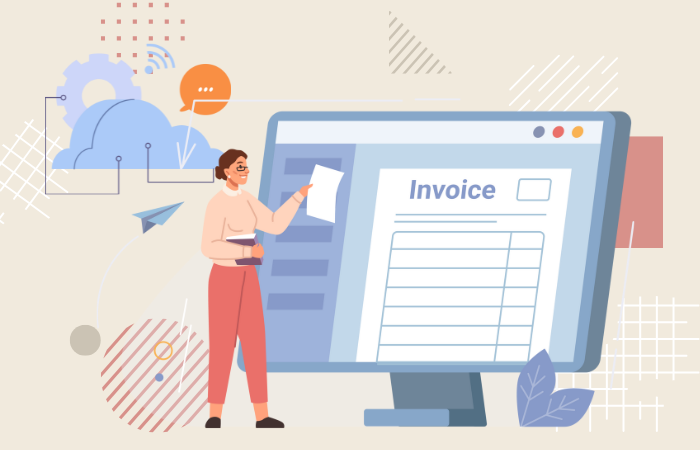
By utilizing cloud accounting, we are now in an era where accounting staff can largely automate the daily tasks they perform, such as journal entries, document processing, and invoice management. By replacing tasks that previously tended to be done manually with systems, companies can not only improve work efficiency but also enjoy many other benefits, such as reducing human error and enabling real-time management decisions.
In this article, we will comprehensively explain the background and benefits of the increasing automation of accounting work, particularly through cloud accounting, as well as the selection points that should be kept in mind when implementing it.
We will also touch on specific use cases and operational tips, and take a closer look at checkpoints to ensure successful implementation and future prospects.
What is accounting automation? Why is cloud accounting becoming so popular?
Automation in accounting refers to efforts to reduce the workload by systemizing accounting procedures, journal entries, document organization, etc. that were previously done manually. Cloud accounting is attracting attention due to the convenience of being able to access the latest data at any time as long as you have an internet connection, and its ability to quickly respond to legal changes.
Accounting staff are responsible for time-consuming tasks such as daily journal entry input, document organization, and compilation work for monthly and annual financial statements. Many cloud accounting systems are equipped with AI functions, and by migrating these tasks to cloud accounting, the AI can estimate journal entries and automatically obtain transaction details from financial institutions, significantly reducing the workload. Another benefit of adopting cloud accounting is the ability to quickly update to the latest regulations, making it easy to comply with the Electronic Bookkeeping Act.
Furthermore, it is extremely important for managers and administrative departments to be able to check accounting data in real time. Cloud accounting allows access via the internet at any time, allowing you to check the latest figures without having to wait for monthly closings or other times. Another major advantage of this data-driven management approach is that it allows you to consider capital investments and new business ventures without missing the timing.
Main tasks that can be automated with a cloud accounting system
By introducing cloud accounting, many accounting tasks can be automated, reducing the burden on staff. Below we will introduce some representative examples.
1. Daily journal entry and document processing
The most time-consuming daily tasks are journal entry and voucher management. With cloud accounting, transaction data is automatically imported, minimizing manual entry, and AI also handles the accounting entry suggestion function. There are also services that use AI-OCR to read paper receipts and invoices and automatically incorporate them into accounting entries, greatly simplifying the paper-based entry work.
2. Automatic linking of bank accounts and credit cards
Many cloud accounting services offer integration with financial institutions and credit cards. The system automatically retrieves internet banking and card statements and presents candidate account items based on the transaction details, so the accounting staff only needs to go through an approval step. This system prevents human errors such as missing or duplicate data entry.
3. Greatly streamlined routine tasks through API integration and RPA
Companies aiming for even more advanced automation are increasingly using API integration and RPA (Robotic Process Automation) technology. By integrating cloud accounting systems with other business applications at the API level, tasks such as automatically importing order data and attendance data can be seamlessly performed. This automates most routine tasks that are repeated daily or monthly, allowing staff to focus on value-added tasks such as analysis and management proposals.
▼I want to know more about the API
⇒ API|Glossary
Advantages and disadvantages of cloud accounting software
While there are many benefits to adopting cloud accounting, there are also some points to be aware of. Here, we will explain the advantages and disadvantages so that you can more effectively consider adopting it.
The cost issues associated with cloud computing and the security risks associated with constant internet use cannot be ignored, but the benefits of improved business efficiency and real-time business management far outweigh these, and many companies are moving forward with its adoption.
1. Improved operational efficiency and reduced human error
Cloud accounting's automatic journal entry function and automatic acquisition of detailed data significantly reduce the frequency of manual entry. This reduces the occurrence of human errors such as typing errors and incorrect selection of journal entry subjects. In fact, there are cases where AI learns journal entries and improves accuracy, not only saving time but also increasing efficiency many times over due to improved accuracy.
2. Realizing real-time management decisions and data-driven management
A major benefit is that managers can grasp the financial situation in real time. They can quickly analyze increases and decreases in sales and costs, allowing them to make decisions about investments and reviewing business direction at the appropriate time. Since data is constantly being stored in the cloud, the transition to a data-driven management style can also be implemented smoothly.
3. Security and cost considerations
However, because cloud accounting handles data over the internet, it is essential to take measures against the risk of information leaks and unauthorized access. Many services use encryption technology at the level of financial institutions, but companies using the service must also thoroughly implement basic security measures such as password management and access permission settings. It is also important to consider the running costs of the software, such as monthly fees and additional costs for optional features, and to create a comprehensive budget plan in advance.
How to choose a cloud accounting system and comparison points
There are many options for cloud accounting services, but it is important to identify a system that suits your company's business requirements and operational policies. Use the following criteria to compare and select the best service.
1. Determine the functionality and scalability you need
First, check whether the solution meets the accounting functions required by your company. For example, there are an increasing number of solutions that offer a range of non-accounting related services, such as invoicing and expense reimbursement. When considering future business expansion and system integration, scalability, such as a wide range of APIs and the ability to connect to external services, is also extremely important.
2. Compliance with the Electronic Bookkeeping Act
Compliance with the Electronic Bookkeeping Act is now an essential point for accounting systems. When choosing cloud accounting software, be sure to check whether it has functions that meet the requirements for storing receipts, invoices, and other data electronically. In particular, it is key to ensure that scanned document data is centrally managed on the cloud, making it easy to refer to during audits and tax investigations.
3. Support system and security measures
Make sure there is a support system you can contact at any time if you have any problems or questions about operation after installation. Phone and chat support, and the comprehensiveness of the FAQs will determine whether the service will go smoothly immediately after launch. In terms of security, it is important to compare whether encryption and access rights management are properly implemented and choose a highly reliable service.
Accelerating accounting automation with cloud accounting and HULFT Square
Combining HULFT Square, which has the ability to connect with a variety of systems, with cloud accounting dramatically expands the scope of accounting automation. By automating data transfer, you can expect to further reduce human error and work hours.
HULFT Square is a platform specialized in system integration, allowing for the efficient exchange of a wide range of data, including mission-critical system, core system and external services. By linking it with cloud accounting software, it is possible to automatically import sales data and order information, and perform all processes from accounting entries to closing in a seamless manner. Implementing such a system allows for a higher level of automation, encouraging the accounting department to participate strategically in business operations.

iPaaS-based data integration platform HULFT Square
HULFT Square is a Japanese iPaaS (cloud-based data integration platform) that supports "data preparation for data utilization" and "data integration that connects business systems." It enables smooth data integration between a wide variety of systems, including various cloud services and on-premise systems.
1. HULFT Square Implementation Case Studies
Case study: Seven Bank Ltd.

Seven Bank, Ltd. introduced HULFT Square in conjunction with the renewal of its accounting system, and is using it as data integration platform with accounting ERP and SaaS.
2. Use of applications linked to accounting SaaS
HULFT Square provides an application that allows you to use data integration flows with cloud services such as freee and Bill One as templates. By using the application, you can significantly reduce the man-hours required for developing data integration flows.
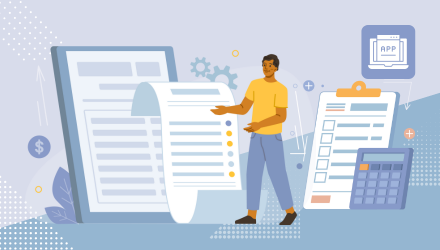
Develop HULFT Square applications as quickly as assembling parts
With the application, you can focus on creating unique functionality as if you were assembling the parts, without having to write code from scratch.
▼I want to know more about SaaS
⇒ SaaS (Software as a Service) | Glossary
▼I want to know more about data integration
⇒ data integration / data integration platform | Glossary
The role of cloud accounting in promoting digital transformation and future prospects
Improving accounting efficiency and accuracy are essential elements in promoting digital transformation, and cloud accounting is a key factor in playing a part in this digital transformation.
Cloud accounting is expected to evolve further in the future through more advanced use of AI technology and API integration. We are entering an era in which systems will take on a significant portion of the work that has previously been done by humans, such as business forecasting through real-time analysis of accounting data and improving the accuracy of automatic accounting entries for receipts and invoices. As a result, accounting staff can shift to work that creates new value, which is expected to help increase the competitiveness of the entire company.
summary
Automating accounting processes through the introduction of cloud accounting does more than simply improve work efficiency: it also impacts management and strategy, making it an important step in increasing a company's competitiveness.
Using cloud accounting significantly reduces human error by systematizing routine tasks such as journal entries, financial statements, and report creation, improving speed and accuracy across the entire company. Furthermore, using collaboration tools such as HULFT Square allows for large-scale automation, including other business data, making it an essential element in promoting digital transformation. With an ever-increasing range of functions expected to emerge in the future, effectively selecting and operating cloud accounting and strategically utilizing the accounting department will make a big difference to the future of your company.
The person who wrote the article
Recommended Content
-
Key Points for Promoting DX! The Value of Data Integration
We will explain how to eliminate personalization in business, eliminate data silos, and ensure scalability from the perspective of data integration. -

Generative AI for Business Analytics
This webinar will explain practical initiatives using data utilization platforms, with demonstrations. Please also take a look at this. (Viewing time: approximately 20 minutes) -

Get an online consultation about data utilization
If you would like to hear more about our data utilization platform, we also offer online consultations.
Related Content
-
The Use of Generative AI in Talent Management: From Intuition to Data-Driven Approaches
-
What is CDC (Change Data Capture)? – A method for securely and reliably transporting data from on-premises systems.
-

data integration techniques for character code conversion—preparing for a mix of SJIS, JEF, and Unicode.