
HUE Integration Application
- name
- HUE integration
- tag
- ERP/HUE
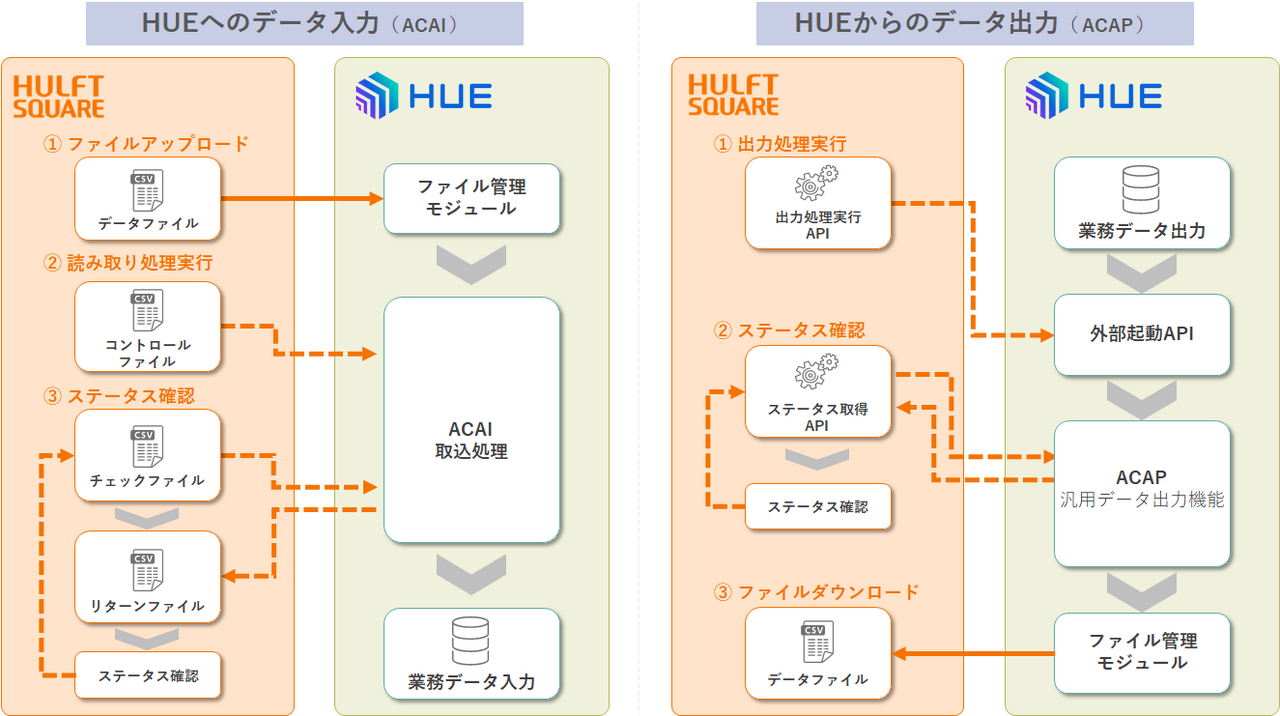
This application is a collaborative application for implementing data input from HULFT Square to HUE and data output from HUE.
This software provides a series of scripts necessary for integration with HUE, including data input and output processing, data file upload and download, and processing status checks. Furthermore, it includes sample scripts for data processing and conversion to match HUE's input format, allowing you to build a processing flow from data conversion to input execution.
Each script can be used as a reusable integration component, allowing for a smooth transition from verifying connectivity with HUE to building data integration processes for actual operation. This reduces design and development time for HUE integration and supports the rapid launch of data integration platform.
Script Details
HUE data entry execution script
hue_acai
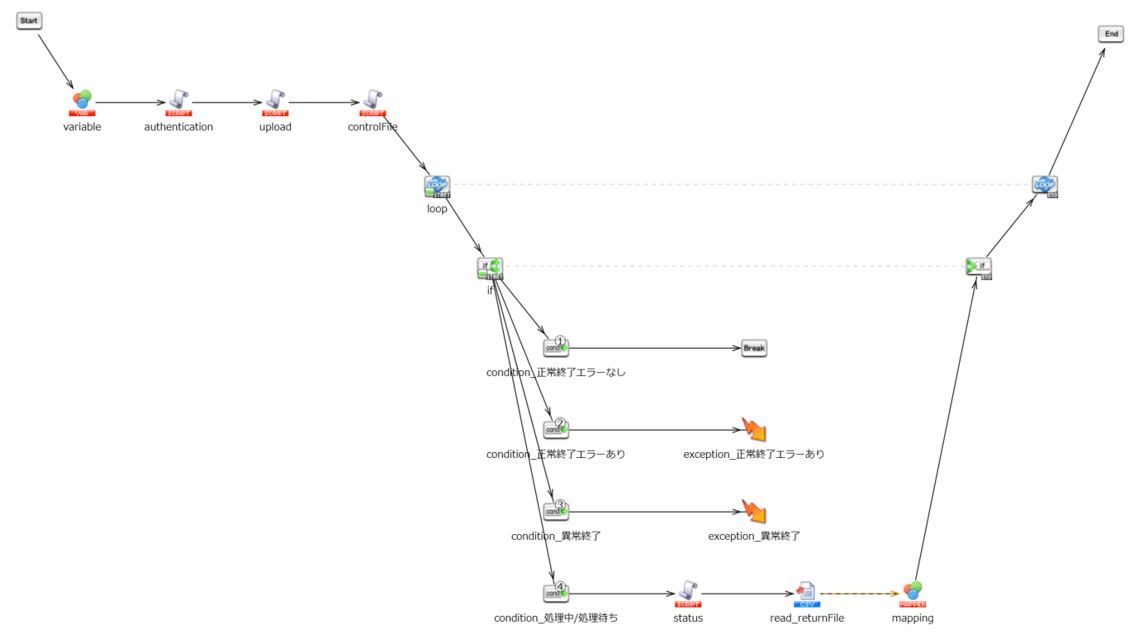
This is an execution script for inputting data into HUE.
Uploading control files to HUE
hue_acai_controlFile
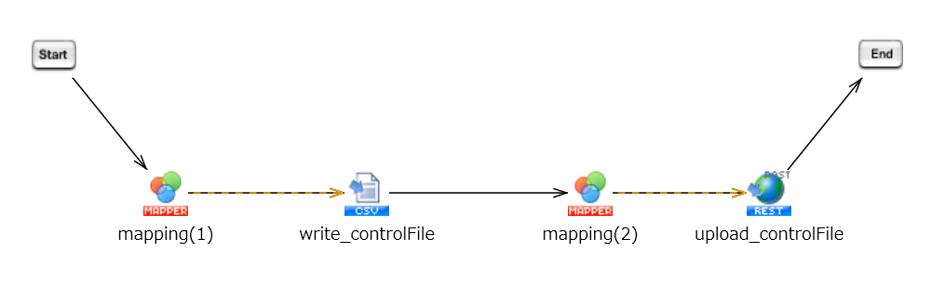
HULFT Square is used to create a control file (processing command file) for HUE to process and import data, and then uploaded to HUE.
Checking the data input processing status in HUE
hue_acai_status
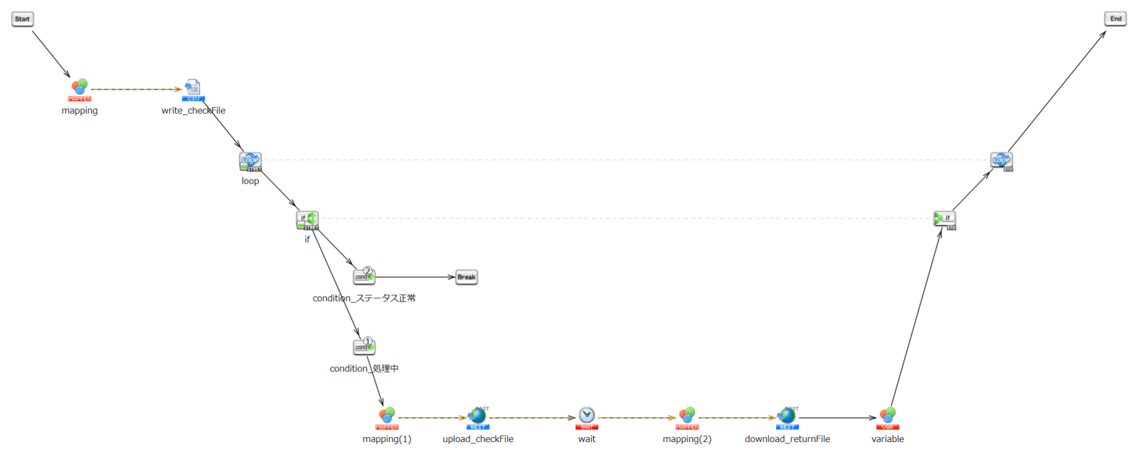
We will check if the HUE data entry process has completed successfully.
Using a control file for checking the processing status, a return file is output and retrieved to confirm the data acquisition results.
HUE Input Data File Upload
hue_acai_upload
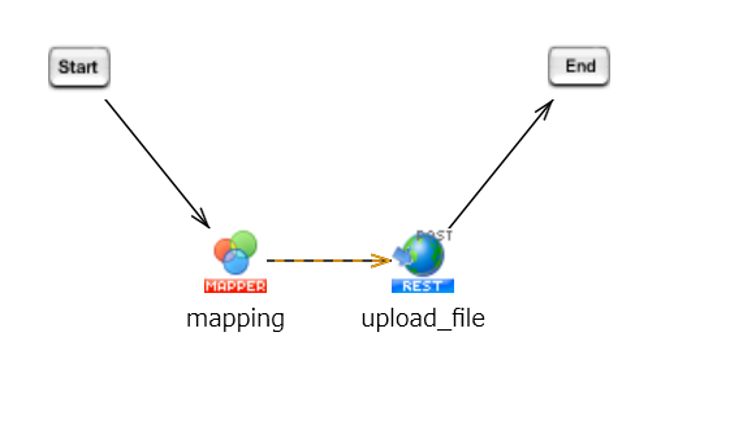
Upload the data files to be imported into HUE to the HUE file management module.
HUE data output execution script
hue_acap
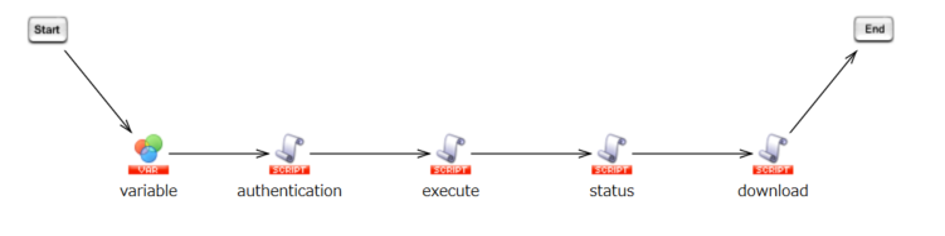
This is an execution script for outputting data from HUE.
HUE data file download
hue_acap_download
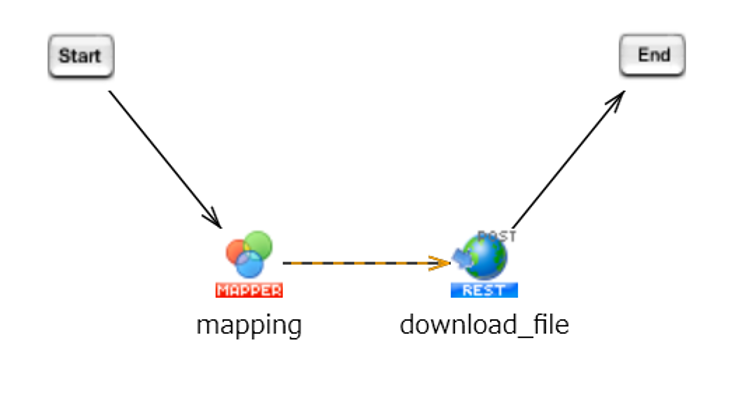
Download the data file output from HUE using the HUE file management module.
HUE data output processing (predefined SQL) startup
hue_acap_execute
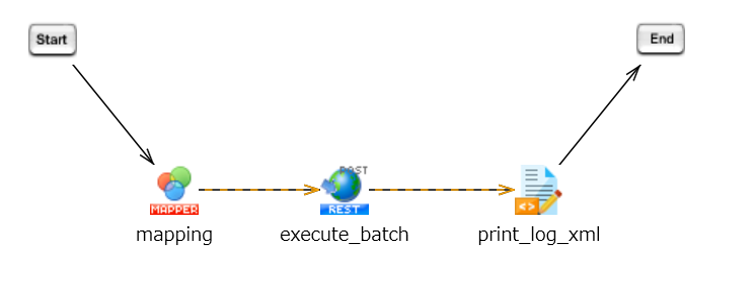
HULFT Square executes data output processing (external API activation) to HUE.
After execution, the "HUE internal API status code" and the "result returned when executing the processing status check API" will be logged.
Checking the data output processing status of HUE
hue_acap_status
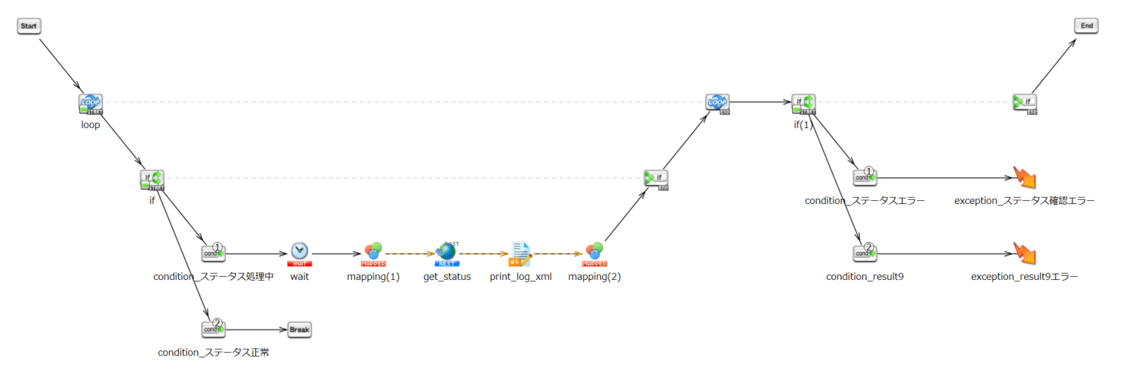
Check if the HUE data output process has completed successfully.
The processing status is checked in a loop up to 5 times. If the "HUE internal API status code" is an error 5 or more times, the subsequent exception notification process is executed. The "result returned when the processing status check API is executed" is also checked, and if there is an error, the exception notification process is executed.
HUE authentication script
hue_authentication
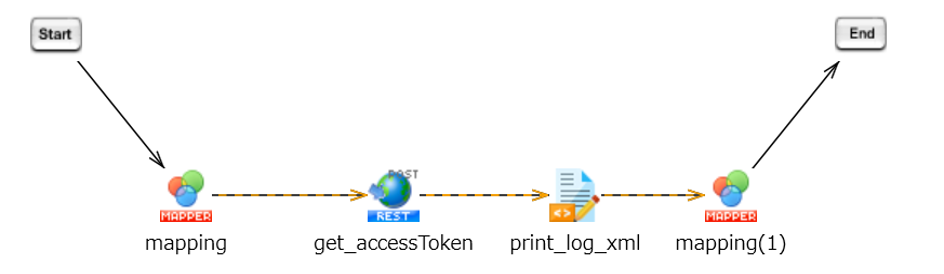
Obtain the HUE access token.
We also check and log the "API status code within HUE" and the "result returned when executing the processing status check API".
Sample script for data processing and conversion
hue_dataConvert_sample
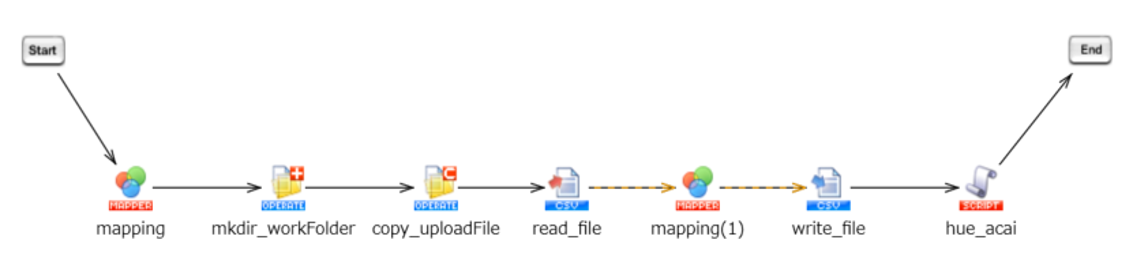
This is a sample script for data processing and transformation that can be used when building the ACAI (data input processing to HUE) interface.
This script implements a conversion process that matches the column definitions of HUE's "Customer Master Data Import" function, and includes calling the child script "HUE Data Input Execution Script (hue_acai)".