How to connect Salesforce with external systems? Explaining the connection methods and features

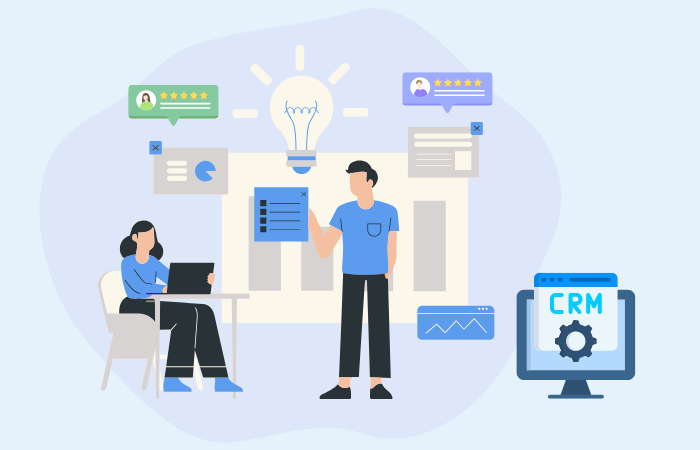
Salesforce is a cloud-based customer relationship management (CRM) platform that is a powerful tool that enables companies to centralize customer information and streamline sales activities.
By connecting Salesforce with external systems, you can improve the efficiency and competitiveness of your entire business.
This article explains how to efficiently integrate Salesforce with external systems.
Benefits of integrating Salesforce with external systems
There are many benefits to integrating Salesforce with external systems. In this section, we will introduce some of the major benefits, including examples from various departments.
Reduced man-hours through improved work efficiency
System integration automates manual tasks, improves the efficiency of the entire business process, and reduces the risk of human error. For example, in the marketing department, by integrating a marketing automation tool (e.g., HubSpot) with Salesforce, employees can be freed from the manual task of entering lead information and tracking leads, allowing them to focus on strategic tasks.
Improved customer satisfaction
To increase customer satisfaction, it is essential to quickly understand customer needs and respond appropriately. For example, by integrating a help desk system (e.g., Zendesk) with Salesforce, the Customer Success department can centrally manage customer support history. This allows support staff to refer to past inquiries and support history and respond quickly and appropriately, improving customer satisfaction.
Data-driven strategy planning
By integrating systems, you can centrally manage data and utilize that data to develop highly accurate strategies. For example, by integrating a sales management system (e.g., Oracle E-Business Suite) with Salesforce, you can integrate sales data and customer data. This allows the sales department to view sales status and customer purchase history in real time and develop data-based sales strategies.
How to integrate Salesforce with external systems
Salesforce can be integrated with external systems by utilizing tools and APIs provided by Salesforce, as well as by introducing third-party data integration tool. This section explains the most common integration methods and their respective features.
▼I want to know more about the API
⇒ API|Glossary
Data manipulation using Data Loader
Data Loader is a free tool designed to efficiently manage large amounts of data in Salesforce. It provides an intuitive GUI and allows you to manipulate data via CSV files or database connections, easily inserting, updating, and deleting records in bulk. It is particularly effective for tasks such as updating large amounts of customer data in bulk or migrating data from another system.
On the other hand, using the GUI requires manual operation, which can be time-consuming in scenarios where data needs to be imported and exported on a daily basis.The Data Loader is best used whenever you want to extract specific data from an object at a specific time.
Although basic data mapping and conversion is possible, if complex data conversion or enrichment is required, we recommend using data integration tool in conjunction with it.
API-based integration
APIs are an essential technology for efficiently integrating Salesforce with external systems. The main APIs provided by Salesforce are REST API and SOAP API, each with its own unique uses and advantages.
REST API Features
REST APIs are used as highly flexible and scalable tools for system integration. This technology is based on the HTTP protocol, and its resource-oriented nature allows for efficient data exchange between different systems. A specific use of REST APIs in Salesforce is the process of retrieving customer data from external systems and updating it immediately. This functionality enables real-time information sharing and faster customer response. Another major advantage is that it allows for smooth construction of a system integration platform while leveraging the features of existing systems.
▼I want to know more about REST API
⇒ REST API|Glossary
SOAP API Features
SOAP API is a reliable way to connect with Salesforce, using a SOAP-based protocol characterized by high security standards and a well-structured structure. This technology allows for robust and secure data exchange. For example, it is used in scenarios such as integrating with ERP systems or mission-critical business systems to automatically update customer data collected in Salesforce.
One of the benefits of SOAP API is its compatibility with existing systems and processes, allowing for smooth integration and streamlining of daily business processes. The SOAP specification also provides strict error handling and transaction management, ensuring safe and reliable communication.
Utilizing data integration tool
To facilitate the integration of Salesforce with external systems, the use of data integration dedicated tools can be effective. These tools have features to facilitate data sharing and process automation between different systems. Furthermore, if you choose data integration tool, which has a dedicated connector for integration with Salesforce, you can use it without detailed knowledge of data specifications.
EAI(Enterprise Application Integration)
EAI (Enterprise Application Integration) is a technology that aims to seamlessly integrate the many different applications that exist within a company and facilitate data integration. Many modern companies have implemented a variety of applications to streamline operations such as sales, inventory management, accounting, and customer management. EAI provides a wide range of pre-set connectors and an intuitive interface for linking these applications, making it easy to set up even without technical expertise.
▼I want to know more about EAI
⇒ EAI|Glossary
Related Products:
" DataSpider Servista" EAI with a dedicated connector to Salesforce >>
iPaaS(Integration Platform as a Service)
iPaaS (Integration Platform as a Service) is a cloud-based platform for efficiently integrating different applications and systems. Like EAI, it has a wide range of pre-set connectors and an intuitive interface to connect multiple business systems, various applications, and cloud services.
iPaaS is characterized by its advanced data integration capabilities, which make it easy to integrate with existing on-premise systems and cloud-based services. In addition, many iPaaS services are provided as managed services, which reduces the burden on IT departments by eliminating the need for infrastructure management and maintenance.
Using this platform as data integration platform will make it easier to manage the entire business process, and is expected to reduce operational costs and improve productivity across the organization.
▼I want to know more about iPaaS
⇒ iPaaS | Glossary
Related Products:
"HULFT Square" iPaaS with a dedicated connector for Salesforce >>
| Data Loader | API | EAI | iPaaS | |
| Provided form |
client application |
REST/ SOAP API |
On-Premises | Cloud-based Managed Services |
| Real-time |
Batch Processing | Real-time support | Real-time support/ Batch Processing |
Real-time support/ Batch vs. Processing |
| Operability |
GUI/ Command Line |
Programming need |
Low-code, Intuitive operation |
Low-code, Intuitive operation |
| Implementation period |
short term | Development takes time | Short term | Relatively long period |
| Flexibility in data transformation |
Basic Transformations | Advanced Conversion | Advanced Conversion | Advanced Conversion |
| Typical scenarios |
Bulk Data Import/Export | Integration with custom applications | SaaS and cloud-based system integration | On-premise-focused system integration |
summary
Integrating Salesforce with external systems can improve business efficiency, customer satisfaction, and data-driven strategies. Specific integration methods include utilizing Salesforce's Data Loader and APIs, as well as data integration tool. Using data integration tool with pre-set connectors and intuitive interfaces, such as EAI and iPaaS, can significantly reduce the effort and risk associated with manual integration and individual development, and also provide flexibility for future integrations with other systems.
When it comes to integrating Salesforce with external systems, we recommend understanding the characteristics of each method and choosing the right one for your needs, or using multiple methods in combination.
The person who wrote the article
Recommended Content
-
Case Study | House of Rose Co., Ltd.
By implementing CRM and Salesforce, we have centralized customer information and developed data integration platform that can adapt to changes in order to build long-term, deep relationships with customers. -

iPaaS-based data integration platform HULFT Square
iPaaS, data integration platform, is gaining attention in the age of AI. Check out the product details of "HULFT Square," which meets the needs of this era. -

Get an online consultation about data utilization
If you would like to hear more about our data utilization platform, we also offer online consultations.