A complete guide to IdP integration, data store connection, and iPaaS utilization centered around Okta


As the use of cloud services increases, Okta is attracting attention as a platform that provides simple yet robust functions such as single sign-on (SSO) and multi-factor authentication.
This article provides a comprehensive explanation of IdP integration, various data store connections, and how to utilize iPaaS, focusing on Okta.
The background and benefits of Okta data integration
As identity management becomes increasingly important in business, attention is being drawn to the flexible data integration provided by Okta.
The rapid expansion of cloud services has left companies with complex application environments.
- The authentication infrastructure is distributed
- Account management is complicated
- Increased security risks
Issues such as these are becoming apparent.
Okta addresses these challenges and is highly regarded as an "integrated authentication platform that allows access to all services with a single login."
In addition, Okta supports standards such as SAML, OIDC, SCIM, and REST API, making it easy data integration with external systems.
ID information integration and log collection can be done smoothly,
- Security log analysis
- Unauthorized access detection
- Automated Data Integration
- Organization-wide visibility
This brings about benefits such as:
In addition, by combining it with iPaaS, the scope of use of authentication data will expand to include IT operations, business processes, and data analysis, which is also attracting attention.
▼I want to know more about iPaaS
⇒ iPaaS | Glossary
Basics of Okta external IdP integration and key points
Integration with other identity providers (IdPs) opens up a wide range of use cases. We will explain the aspects of connecting Okta with external IdPs.
As a vendor-neutral identity platform, Okta can flexibly integrate with external IdPs. For example, by integrating with a company's own authentication platform or an existing cloud service IdP, user account management can be unified even in complex environments. When implementing single sign-on, not only can the login flow be simplified, but it is also easy to combine multi-factor authentication (MFA) to increase the level of security.
To successfully integrate with such an external IdP, it is important to correctly configure protocols such as SAML and OIDC. Another benefit is that by combining automatic provisioning with SCIM as needed, you can automate the creation, update, and deletion of user accounts. Because it reduces operational burden while enabling thorough management, many companies are considering IdP integration with Okta.
▼I want to know more about single sign-on
⇒ Single Sign-On (SSO) | Glossary
What is the Okta Integration Network (OIN)?
The Okta Integration Network (OIN) is a platform that provides over 8,000 rich application integration templates. In many cases, single sign-on and user management can be implemented without writing code, providing significant benefits to companies in terms of both scalability and speed. It can easily connect to cloud services used by companies, making it suitable for both new deployments and integration with existing environments.
Workforce Identity Cloud Integration Overview
Workforce Identity Cloud is a solution that brings together Okta's enterprise identity management capabilities to strengthen authentication for an organization's internal users and employees.
With core features such as multi-factor authentication and single sign-on, it can implement standardized authentication flows and provisioning, and manage various business systems in one place. It can also easily connect with external services, making it a key feature that flexibly supports corporate hybrid environments and multi-cloud strategies.
How to connect with a typical data store
By integrating Okta with a data store, you can utilize user information and logs to achieve centralized management. Here we will explain the most common integration methods.
By integrating the user authentication data and log information handled by Okta with existing databases and directory services, you can reduce operational burden and achieve advanced analysis. By aggregating various data sources, you can visualize user usage and quickly detect unauthorized access or abnormal account behavior. Centralized storage of authentication logs is also effective for audit support.
For integration, log data is obtained through the Okta API and account information is synchronized using SCIM. For example, by using Okta Hooks, it is possible to execute arbitrary processes upon user registration or successful login, automating data integration with other systems. By making full use of these functions, Okta can be positioned not only as a secure ID management platform, but also as a central hub supporting a wide range data integration.
▼I want to know more about the API
⇒ API|Glossary
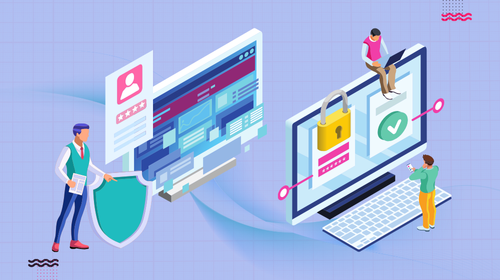
data integration procedure using SQL database
First, define a flow to retrieve log information and user attributes from the Okta API and import them into the SQL database you are connecting to. The general procedure is to generate an API token in the Okta administration console and then set up a script or tool to periodically retrieve data using that token.
The acquired data can be easily analyzed and processed using SQL queries, making it useful for security audits and creating usage reports.
Active Directory (AD) and Okta integration points
By integrating your on-premises Microsoft Active Directory with Okta, you can achieve single sign-on to cloud services while continuing to use your traditional directory service.
Specifically, Okta's agent is installed on the AD server side to synchronize user account and group information. Group-based lifecycle management and password policy integration are also smoothly performed, making it easy to build a hybrid identity management environment.
Integration using iPaaS (Integration Platform as a Service)
The combination of Okta and iPaaS has been an area of particular interest in recent years.
By linking with products such as Saison Technology's iPaaS "HULFT Square",
- Start a workflow with your Okta credentials
- Okta Hooks can be used as triggers to automatically execute data integration processes.
- Update data in other systems when user information changes
- Authentication logs are aggregated to the analysis platform via HULFT Square
This realizes the combination of "authentication x data integration x automation."
In particular, there is a growing demand for a configuration that executes a HULFT Square flow when an event that occurs in Okta (such as successful login or user creation) is triggered as a standard pattern in the era of zero trust.
Okta application development efficiency
Develop smoothly, just like assembling parts
HULFT Square Application
HULFT Square provides an application for Okta. API calls can be used as templates, so you can even check the connection with just the required information.
> Okta Workforce Identity Cloud Integrated ApplicationSingle sign-on and other use cases
We will introduce specific examples of how Okta's core feature, single sign-on, can improve user convenience and security.
Okta's single sign-on is based on standard protocols such as SAML and OIDC, and its major strength is its ability to handle a wide variety of applications with a single authentication platform. Not only does this save end users the trouble of having to enter their passwords multiple times, but it also significantly reduces the risks of password management for companies. These benefits have led to the creation of many use cases that can simultaneously improve productivity and strengthen security.
Furthermore, by implementing Adaptive Multi-factor Authentication (MFA) in conjunction with single sign-on, you can implement detailed operations that add authentication methods according to user behavior and location. For example, you can strengthen authentication by using one-time passwords or push notifications in addition to regular logins, and implement mechanisms to prevent unauthorized access. By utilizing these functions comprehensively, you can create an environment that maintains a high level of security policy across the organization.
Steps for data integration with Okta
We will organize the process of implementing data connections with Okta, from requirements definition to operation, and identify points to note.
First, define the project requirements by clarifying what type of data will be collected and integrated, and which services and tools will be connected. Next, configure application connection settings and issue API tokens in the Okta Admin console, and confirm compatibility with the authentication method and protocol (SAML, OIDC, SCIM, etc.) required by the connection destination.
After implementing various connections, the accuracy of data and security measures are verified in a test environment before moving to the production environment. During the production phase, stable operation is maintained by continuously monitoring logs and reviewing user permissions as needed. Furthermore, by utilizing Hooks and additional APIs, operation automation and response to unexpected events can be further enhanced.
summary
The IdP integration and data integration using Okta introduced in this article are expected to have a significant effect on strengthening an organization's digital infrastructure.
Okta is a flexible platform that supports open standards, enabling a wide variety of use cases through integration with IdPs and data stores. While building a secure authentication infrastructure centered on single sign-on and MFA, an increasing number of companies are reducing operational costs and improving business efficiency by utilizing log data and user information. It is not limited to being a simple authentication system; another major attraction is that it offers the potential for a wide range of data utilization in conjunction with iPaaS and BI tools.
With the acceleration of cloud adoption and remote work, the need for multi-factor authentication and log utilization is expected to continue to increase. Why not consider a comprehensive approach centered on Okta to strengthen the security infrastructure of your entire organization while promoting business automation and visualization through data integration?
The person who wrote the article
Recommended Content
-

Everything about Amazon S3 data integration– Benefits and How to Use It
We will provide a detailed explanation of everything from the basic functions and features of Amazon S3 to specific implementation methods and points to keep in mind when operating it. -
![[Webinar] HULFT Square Demonstration Seminar [Video]](/application/files/8517/5507/7837/img_column_data-utilization_recommended-content_hs-seminar_HL018.png)
HULFT Square Demonstration Seminar
You can learn about the functions and usage scenarios of HULFT Square, an iPaaS, through videos demonstrating SaaS integration and event integration via API. -

Get an online consultation about data integration
If you would like to hear more about our data utilization platform, we also offer online consultations.