HULFT-WebConnect
HULFT file sharing makes file sharing over the Internet easy and secure!
Functions and Features
Features of HULFT-WebConnect
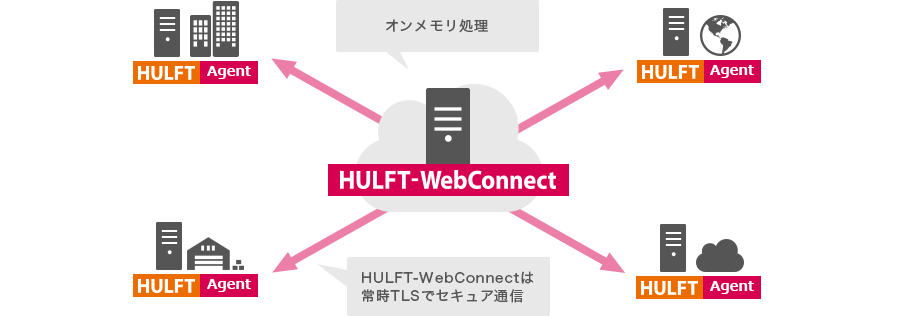
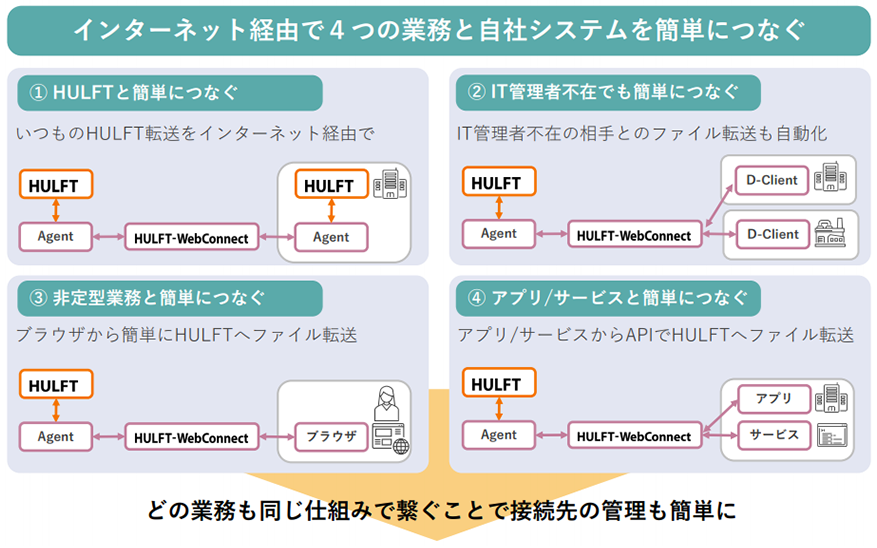
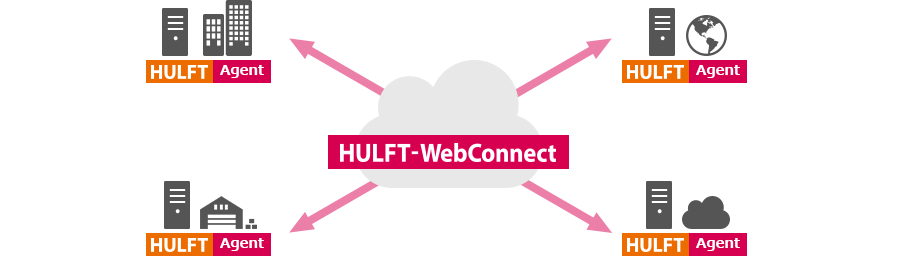
HULFT-WebConnect allows you to easily connect multiple different business processes and your company's systems via the Internet.
All business processes can be connected using the same system, making it easy to manage connections.
Easy connection with HULFT
Agent
HULFT-WebConnect You can use HULFT to perform file transfer via the Internet by send request/transmission request of . Agent will automatically search for the nearest access point for HULFT-WebConnect to increase the efficiency of file transfer.
Easy connection even without an IT administrator
D-Client
This is a transfer client that allows you to use HULFT 's safe and secure file transfer functions as is.
The administrator will prepare the transfer settings in advance, so users can easily start file transfer by simply installing the software without having to do any complicated settings.
Easily connect to non-routine tasks
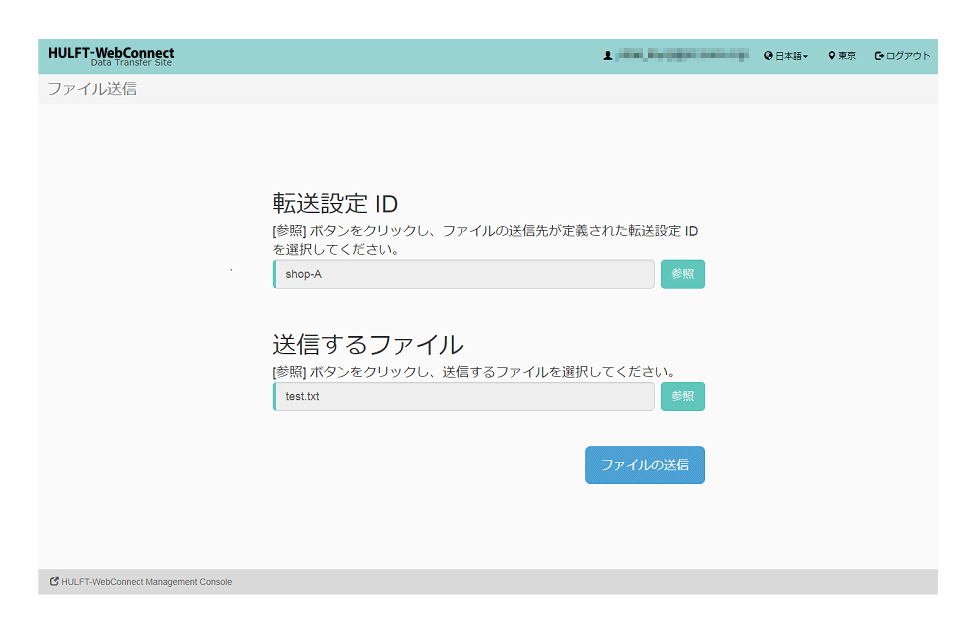
Browser Transfer Site (Data Transfer Site)
This is a browser application for simple file transfer (browser transfers) over the Internet. You can file transfer simply by using a browser.
Easily connect to apps and services
Web API
HULFT-WebConnect service site and part of file transfer function have been made available as a Web API.
By utilizing the Web API, you can build a management site tailored to the business you are applying, and seamlessly file transfer from your own web service to the other HULFT.
Other clients
Command Line Interface (CLI) for Transfers
HULFT-WebConnect provides a command line interface (hereinafter referred to as CLI) for file transfer using the Data Transfer API.
Even if either the sending or send side is not equipped with HULFT, simple file transfer can be performed by installing the CLI.
Security Features
Agent/ HULFT-WebConnect relays user data (files) in memory without writing them to disk during relay transfer. When using service sites or relaying HULFT file transfer with HULFT-WebConnect, TLS communication is always applied.