
DataMagic
Data processing and conversion tools
Functions and Features
- DataMagic Features
- Basic Features
- Optional Features
- Global Response
- New features/incompatible materials
DataMagic Features
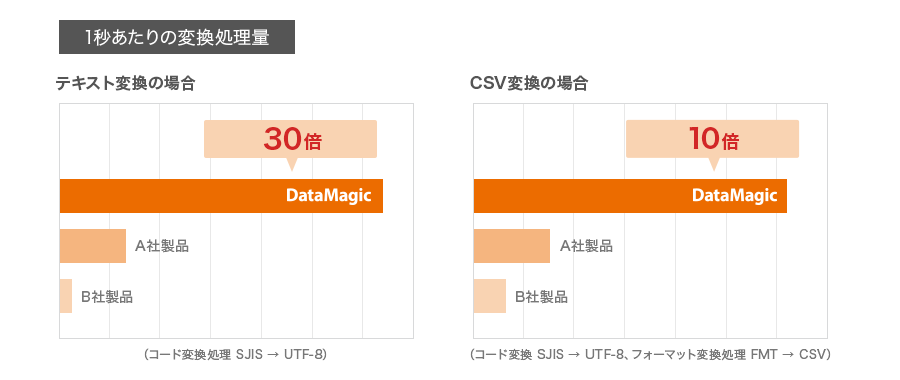
The difference is up to 10 times! Data conversion speed that surpasses other companies
The greatest feature of DataMagic is its overwhelming conversion speed. In particular, text and CSV conversion speeds are approximately 3 to 10 times faster than other companies' data conversion products! This outstanding speed dramatically improves data conversion processing.
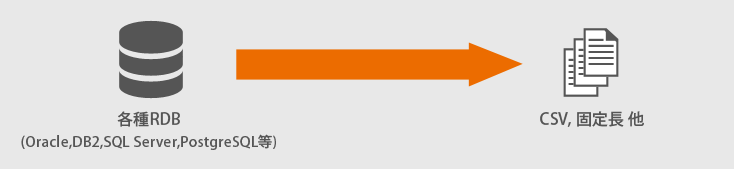
High-speed data unloading from DB
The amount of data has been increasing unstoppably in recent years. Relational databases are commonly used as data stores, but in order to utilize the large amounts of data collected, it is necessary to unload the data from the database in order to connect to BI tools and various cloud services.
assignment
- As data volumes grow, so does the need for high performance.
- There is a risk of continuing to use existing tools due to EOS (End Of Support).
- We would like to reduce SQL coding from a maintenance perspective.
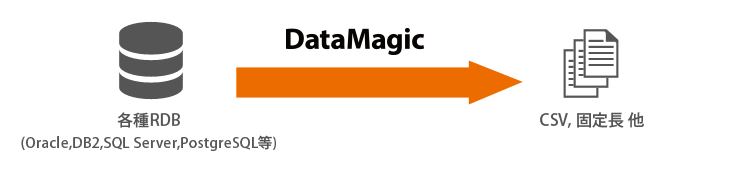
solution
Multi-threading enables high-speed data unloading.
Up to 30x faster performance than competing products.
All settings are done via GUI, no SQL settings are required.
Easy to read! Input/output data is displayed visually in a table format
DataMagic allows you to check the contents of input and output data on a preview screen (table format). By checking the input data format before conversion, you can check for invalid data and also check whether the output data was converted correctly.
Execute multiple mappings at once! Streamline tedious tasks in one go
DataMagic allows you to map multiple items at once on the screen. What's more, it's easy to operate by simply following the guide and selecting the mapping conditions. Even formats with many items can be mapped with just one click.
Easy-to-understand error information ensures safe and secure operation
DataMagic displays an icon when a conversion error occurs. Clicking on the error also displays detailed error information on the screen, allowing for smooth and speedy response. Conversion results can also be output to event logs and syslogs in a specified format, facilitating integration with operational monitoring tools.
- DataMagic Features
- Basic Features
- Optional Features
- Global Response
- New features/incompatible materials