

EAI
「EAI」
This glossary explains various keywords that will help you understand the mindset necessary for data utilization and successful DX.
This time, we will explain "EAI", a type of "connecting" technology.
What is EAI?
EAI is an abbreviation for Enterprise Application Integration. It refers to middleware that connects multiple IT systems and data within a company, or the concept of connecting them.
In actual business situations, multiple IT systems and cloud services are introduced separately, and a wide variety of data is scattered throughout the company.Even in such situations, the idea of "connecting" data and systems is being used to ensure that IT is used effectively and to achieve overall IT optimization.
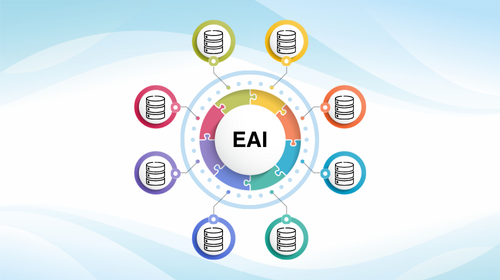
Introducing an IT system requires EAI (actually)
Roughly speaking To explain, EAI is "Software tools that enable data integration" However, People who find it difficult to imagine why a dedicated tool is needed to simply connect data So, first I will explain why it is necessary.
When asked, "What does the IT side need to do to "engage in the use of IT?", what do you imagine? For example, you might imagine "developing an IT system" or "introducing cloud services." While these are certainly necessary, the issue of establishing "data integration" is often also important in reality in order to "achieve proper results through the use of IT."
When introducing an IT system, there are almost always troublesome issues that arise.
For example, imagine your company wants to promote the use of IT, and you are starting from scratch to introduce an IT system into your company.
The accounting department introduced an accounting system to streamline time-consuming administrative processes. Because the accounting department's efforts were successful, the sales department also introduced a cloud service for sales management, but they had difficulty customizing it. The purchasing department, taking into account the highly specialized nature of their company's operations, developed their own system to manage material orders. I think it's common for IT use to spread within a company in this way, and since use is progressing gradually while each workplace determines what it needs, I think it can also be considered a good approach.
However, in reality, such typical approaches can lead to problems with data integration between systems.
For example, when someone new joins the company, it can be a hassle to add this new employee to the employee list in all the systems, including the accounting system, the cloud sales management system, the purchasing system, and the groupware that manages schedules.
Suppose someone is transferred to another department, and the "change in department" must be reflected in both systems. Sometimes, changes are forgotten or input errors occur, which can lead to data inconsistencies between systems, preventing internal procedures from running properly. Sometimes, the data registered about a client in the sales management system and the accounting system may differ, and you may have to check with the client to see which is correct.
Additionally, the "efforts associated with IT utilization" across systems are becoming more noticeable. For example, there is an increase in the amount of work required to extract data from the purchasing system and re-enter it into the accounting department's system every time an order is placed. This kind of effort tends to become more serious the more IT systems are introduced, which is a troubling trend. If you think about it, after introducing a new cloud service, you may find yourself having to download CSV files, reformat the data in Excel, copy and paste, and re-upload the data multiple times. This is a common occurrence.
A phenomenon known as "siloization" is occurring
This situation is sometimes called "siloization." Even if each system is functioning properly and achieving "individual optimization," they are not able to work well together, resulting in each system being semi-isolated and preventing "overall optimization," which can lead to various problems.
As in the first example, "siloization" can easily occur even when you're simply using IT normally, even if you're not particularly aware of it. If this happens, even though you've introduced IT, you may end up with a lot of manual work, such as manually extracting data, converting the data format, and re-entering it, which can make your work inefficient and prevent you from smoothly achieving the things you want to do with your company's IT.
What tends to happen when "siloization" occurs
When silos occur, the following specific problems can occur:
- Multiple inputs are required
- There is the unnecessary work of re-entering the same data into multiple IT systems and cloud services.
- Data inconsistency issues
- If data is not changed or entered incorrectly, data that should be identical may become inconsistent, making it impossible to process correctly.
- It becomes difficult to utilize IT in business operations that span IT systems.
- For example, it will become difficult to improve the efficiency of cross-departmental operations, such as "synchronizing data on orders received by sales from the sales system to the accounting system or production management system."
- It has become difficult or impossible to promote the use of IT from a company-wide perspective, taking into account all business operations, and this is hindering optimal business efficiency across the company.
- It becomes difficult to smoothly utilize data across the company
- For example, if you want to combine data from the sales and production departments to perform customer analysis, it can be extremely time-consuming just to prepare the data for analysis.
- For the monthly management meetings, I copy and paste data from various parts of the company or have it sent to me as an attachment, then paste it into Excel and create graphs, which is a lot of work to create the materials every month.
- A BI tool was introduced to promote data utilization across the organization, but no one is using it because it is difficult to collect the data needed for analysis.
- This can be the reason why new initiatives don't take root.
- When a new cloud service (such as kintone) is introduced, it tends to be used well at first, but then the spread of its use slows down and it ends up not being used as effectively as it could be.
- When trying to utilize AI (such as generative AI or machine learning), progress may be successful up to PoC, but when trying to use it in actual work, it often suddenly becomes difficult and results are not satisfactory.
I think that the things mentioned above are mostly things that we experience on a regular basis. That's how widespread the problems caused by a lack of data integration are in the world.
Even though we have been promoting the introduction of cloud computing and working on utilizing generative AI, we are still struggling to see results. This may actually be due to a lack of data integration.
Furthermore, even when undertaking initiatives from a management perspective, such as promoting the use of IT with an awareness of the overall flow of business operations across the entire company, or reviewing IT resources across the entire company to achieve an optimal IT architecture, these inevitably require "initiatives that span many IT systems and data," and if data integration remains poor, these initiatives will not progress well.
Thought it was solved: The "linkage process" I created caused another problem
If silos cause problems, data integration is important, and manual data integration is inefficient and prone to errors, you might think that by writing programs as needed and developing and improving automatic integration processes between systems, data integration problems could be solved.
However, the really tricky thing about this problem is that it doesn't solve the problem (it just creates another problem).
When you develop and implement automatic data integration integration processes because you need them, your company's systems will gradually become "intricately connected with a large number of integration processes." In other words, you will end up in a situation where "complexly tangled integration processes like spaghetti are created and it becomes impossible to manage."
If this happens, things like "no one will understand what is going on overall" or "even if you want to modify a certain system, you will be in trouble because you will not know how it will affect other systems via linked processing."
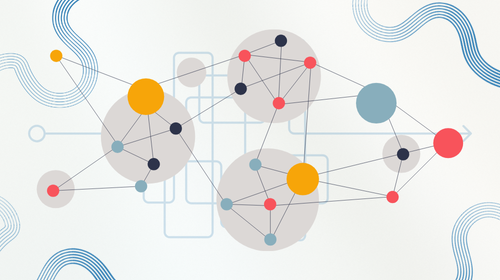
Although we thought we had solved the problem of inability data integration, we now found ourselves in a situation where "IT utilization was not progressing smoothly due to data integration processing."
To solve this situation, some companies try to implement a huge new system (such as a huge package software) that covers the entire company's operations and achieves total optimization. However, this approach comes with a high price.
- It is likely to be a difficult task as you will be forced to "throw away your existing system and migrate"
- Even if overall optimization is achieved, detailed responses to individual departments and individual tasks tend to be sacrificed.
- Maintaining a huge system can be a difficult task.
- It may be difficult to respond if new needs or changes arise after the system is implemented.
We are currently living in what is often called an "age of change." What businesses need to do changes daily, and new technologies and cloud services appear one after another. There must be limits to the approach of "maintaining overall optimization by limiting data integration."
In other words, IT systems that can support the future must be able to introduce new IT as needed, make full use of data integration, and have some kind of ingenuity in place to mitigate the problems that data integration can cause.
Solution using EAI, a platform that handles inter-system collaboration
This is where the idea of EAI comes in. By "connecting" systems that tend to be locally optimized through data integration, inconveniences can be eliminated.
Furthermore, in N-to-N collaborative processing, the more systems there are, the more complex the collaborative processing tends to become (it becomes increasingly complex as N increases), which is one of the reasons why the collaborative processing tends to become unmanageable. Therefore, a "collaboration hub" that handles the collaboration is set up to consolidate the N-to-1 collaborative processing, and the locations of the collaborative processing programs themselves are not scattered.
Furthermore, if you can efficiently develop integration processes using no-code or low-code on an integration hub (EAI), it will be easier to create an environment where IT utilization can be quickly and flexibly realized according to business circumstances. This will also enable you to quickly and flexibly adopt new systems and use the cloud as needed.
"EAI" ("Connecting" technology) solves many of the problems facing companies' IT systems
We often don't notice these things because they have become so commonplace, but if you take a step back and objectively look at your work, you will find that it is common to "manually input and output data," "enter the same data multiple times," "perform simple data conversion tasks," and "transcribing data" (often seen in report creation, etc.), and most companies have a large amount of these tasks.
Even in cases where there is an Excel spreadsheet that "business operations cannot run without," users may be able to make up for what is lacking in the IT system by using Excel on-site.
If you find that IT is making it difficult to move forward with new business initiatives, or if you are hesitant to introduce cloud computing, it may be that inflexible IT is causing people to struggle.
The need for data integration can be a little difficult to understand, but "connecting" technology has the potential to solve the inconveniences and inefficiencies that come with using IT so much in today's world, and fundamentally make IT work more smoothly.
What is required for an EAI platform that connects systems?
The EAI concept itself can be realized through a variety of means, but what characteristics are required of data integration tool used for such purposes?
Ability to link with a wide variety of systems and data
The goal is to "connect" various systems within a company to achieve overall optimization. The ability to link with a wide variety of systems is required. In particular, when used in Japan, the ability to link with domestically produced products that are often used in domestic business is also required.
Performance and reliability to serve as the foundation for your business
Since the IT systems that handle business operations are linked, the business itself is handled through data integration. If the linkage process stops, business operations will be affected, so it is necessary to ensure reliability, safety, and security.
In addition to stable operation, it is also necessary to be able to properly recover from unforeseen circumstances such as abnormal termination due to hardware failure. For example, there is a risk with unstable integration methods, such as many RPAs.
In addition, to prevent business operations from being affected by an inability to process data, the system must have sufficient performance to respond quickly and process large amounts of data quickly.
High development productivity
EAI is an alternative to traditional methods of developing collaborative processes. It is desirable that it be a method that offers advantages such as being more efficient and less prone to errors than developing collaborative processes using conventional system development.
Ease of use for worksites
Related keywords (for further understanding)
- ETL
- In the recent trend of actively working on data utilization, the majority of the work is not the data analysis itself, but rather the collection and preprocessing of data scattered around, from on-premise to cloud. This is a means to carry out such processing efficiently.
- Cloud integration
- Using the cloud in conjunction with external systems and other cloud services. In order to successfully introduce and utilize cloud services, achieving cloud integration is often as important as introducing and utilizing the cloud itself.
- Excel Link
- Excel is an essential tool in the use of IT in the real world. By effectively linking Excel with external IT, you can make the most of Excel's strengths while smoothly promoting IT use.
- iPaaS
- A cloud service that "connects" various clouds with external systems and data simply by operating on a GUI is called iPaaS.
- No-code/Low-code
DataSpider trial version and free online seminar
"DataSpider," data integration tool developed and sold by our company, also has ETL functions and is data integration tool with a proven track record of being widely used as a means of supporting the utilization of DWH.
Unlike regular programming, development can be done using only the GUI (no-code), without writing any code, and it offers "high development productivity," "full-fledged performance that can serve as the foundation for business (professional use)," and "ease of use that can be used by those in the field (even non-programmers can use it)."
It can smoothly solve the problem of "connecting disparate systems and data," which is hindering not only data utilization but also the successful utilization of various IT technologies such as cloud computing.
We offer a free trial version and hold online seminars where you can try out the software for free, so we hope you will give it a try.
Glossary Column List
Alphanumeric characters and symbols
- The Cliff of 2025
- 5G
- AI
- API [Detailed version]
- API Infrastructure and API Management [Detailed Version]
- BCP
- BI
- BPR
- CCPA (California Consumer Privacy Act) [Detailed Version]
- Chain-of-Thought Prompting [Detailed Version]
- ChatGPT (Chat Generative Pre-trained Transformer) [Detailed version]
- CRM
- CX
- D2C
- DBaaS
- DevOps
- DWH [Detailed version]
- DX certified
- DX stocks
- DX Report
- EAI [Detailed version]
- EDI
- EDINET [Detailed version]
- ERP
- ETL [Detailed version]
- Excel Linkage [Detailed version]
- Few-shot prompting / Few-shot learning [detailed version]
- FIPS140 [Detailed version]
- FTP
- GDPR (EU General Data Protection Regulation) [Detailed version]
- Generated Knowledge Prompting (Detailed Version)
- GIGA School Initiative
- GUI
- IaaS [Detailed version]
- IoT
- iPaaS [Detailed version]
- MaaS
- MDM
- MFT (Managed File Transfer) [Detailed version]
- MJ+ (standard administrative characters) [Detailed version]
- NFT
- NoSQL [Detailed version]
- OCR
- PaaS [Detailed version]
- PCI DSS [Detailed version]
- PoC
- REST API (Representational State Transfer API) [Detailed version]
- RFID
- RPA
- SaaS (Software as a Service) [Detailed version]
- SaaS Integration [Detailed Version]
- SDGs
- Self-translate prompting / "Think in English, then answer in Japanese" [Detailed version]
- SFA
- SOC (System and Organization Controls) [Detailed version]
- Society 5.0
- STEM education
- The Flipped Interaction Pattern (Please ask if you have any questions) [Detailed version]
- UI
- UX
- VUCA
- Web3
- XaaS (SaaS, PaaS, IaaS, etc.) [Detailed version]
- XML
- ZStandard (lossless data compression algorithm) [detailed version]
A row
- Avatar
- Crypto assets
- Ethereum
- Elastic (elasticity/stretchability) [detailed version]
- Autoscale
- Open data (detailed version)
- On-premise [Detailed version]
Ka row
- Carbon Neutral
- Virtualization
- Government Cloud [Detailed Version]
- availability
- completeness
- Machine Learning [Detailed Version]
- mission-critical system, core system
- confidentiality
- Cashless payment
- Symmetric key cryptography / DES / AES (Advanced Encryption Standard) [Detailed version]
- Business automation
- Cloud
- Cloud Migration
- Cloud Native [Detailed version]
- Cloud First
- Cloud Collaboration [Detailed Version]
- Retrieval Augmented Generation (RAG) [Detailed version]
- In-Context Learning (ICL) [Detailed version]
- Container [Detailed version]
- Container Orchestration [Detailed Version]
Sa row
- Serverless (FaaS) [Detailed version]
- Siloization [Detailed version]
- Subscription
- Supply Chain Management
- Singularity
- Single Sign-On (SSO) [Detailed version]
- Scalable (scale up/scale down) [Detailed version]
- Scale out
- Scale in
- Smart City
- Smart Factory
- Small start (detailed version)
- Generative AI (Detailed version)
- Self-service BI (IT self-service) [Detailed version]
- Loose coupling [detailed version]
Ta row
- Large Language Model (LLM) [Detailed version]
- Deep Learning
- Data Migration
- Data Catalog
- Data Utilization
- Data Governance
- Data Management
- Data Scientist
- Data-driven
- Data analysis
- Database
- Data Mart
- Data Mining
- Data Modeling
- Data Lineage
- Data Lake [Detailed version]
- data integration / data integration platform [Detailed Version]
- Digitization
- Digitalization
- Digital Twin
- Digital Disruption
- Digital Transformation
- Deadlock [Detailed version]
- Telework
- Transfer learning (detailed version)
- Electronic Payment
- Electronic Signature [Detailed Version]
Na row
Ha row
- Hybrid Cloud
- Batch Processing
- Unstructured Data
- Big Data
- File Linkage [Detailed version]
- Fine Tuning [Detailed Version]
- Private Cloud
- Blockchain
- Prompt template [detailed version]
- Vectorization/Embedding [Detailed version]
- Vector database (detailed version)
Ma row
- Marketplace
- migration
- Microservices (Detailed Version)
- Managed Services [Detailed Version]
- Multi-tenant
- Middleware
- Metadata
- Metaverse
Ya row
Ra row
- Leapfrogging (detailed version)
- quantum computer
- Route Optimization Solution
- Legacy System/Legacy Integration [Detailed Version]
- Low-code development (detailed version)
- Role-Play Prompting [Detailed Version]
